8
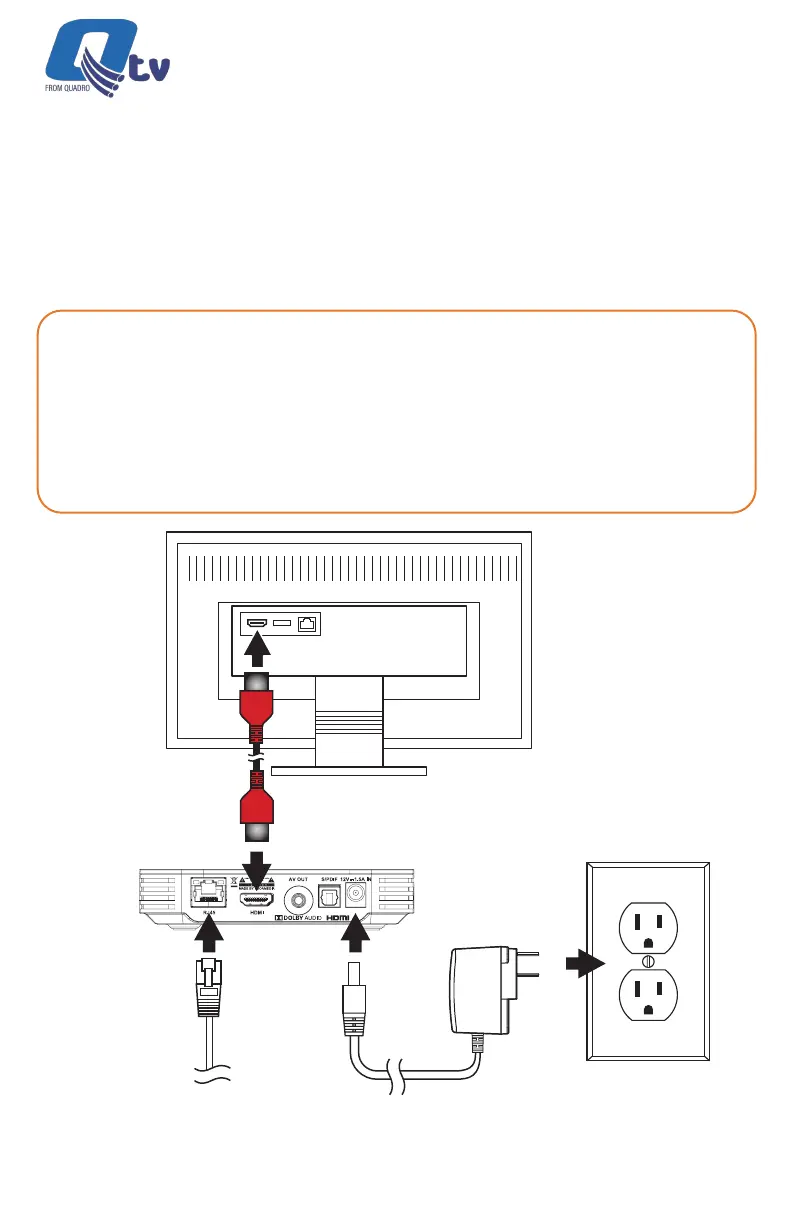
Connect the Ethernet Cable
to a Router (Optional)
Connect the Power Adapter
(100 ~ 240V AC, 50/60 Hz)
Connect the HDMI Cable to the TV HDMI Port and
Select the corresponding HDMI Source on the TV
Output to TV
Power
Input thru WiFi or
Ethernet Cable
HDMI Cable Connection
SELF-INSTALL CONNECTION
GUIDELINES
What You Need
• An HD or Ultra High Denition (UHD) TV that can support 720p, 1080p or 4K UHD.
• A Broadband Internet connection that supports a wired or WiFi wireless home
network (802.11 g, n, or ac).
• Pay TV Operator login credentials (mandatory).
• Google login credentials (optional).
Qtv 2020 | Installation Guide



 To Next Page