9
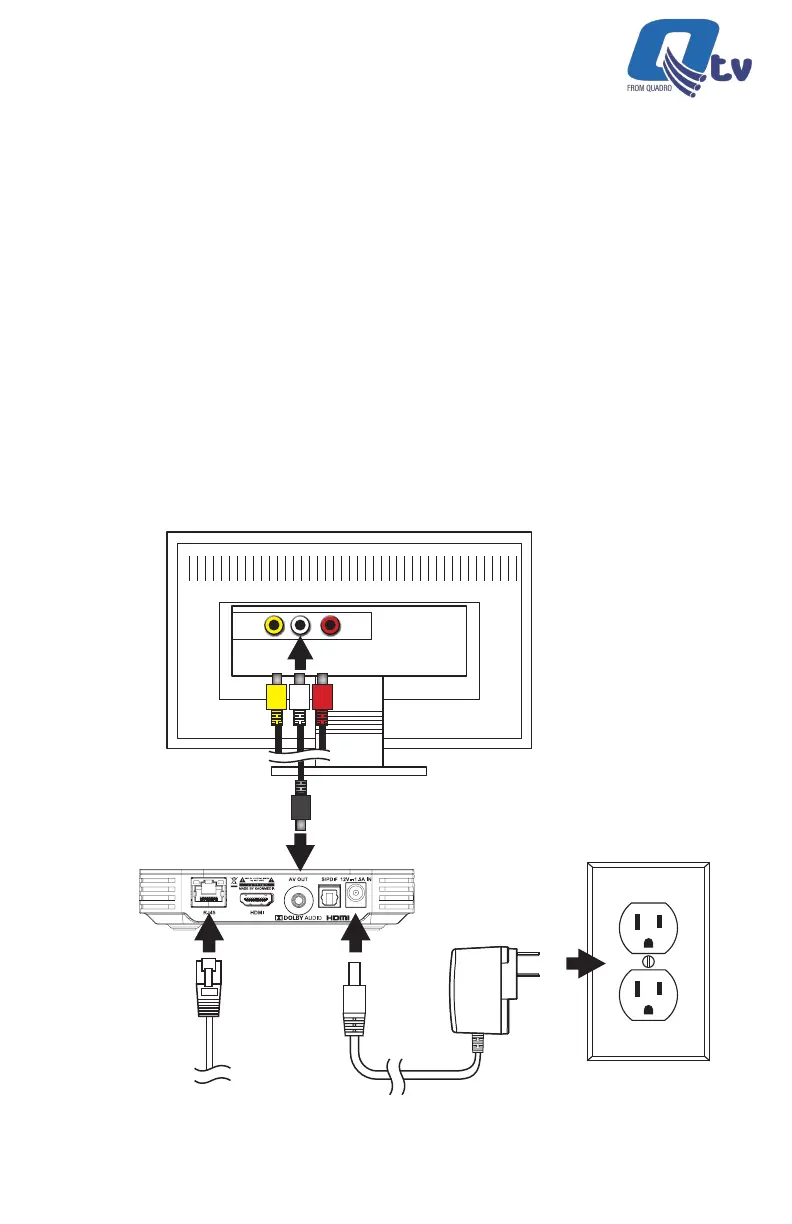
Connect the analog composite cable as shown below. This connection
scheme should only be used if the TV does not have a working HDMI port.
Analog Composite Breakout
Cable Connection
Connect the Ethernet Cable
to a Router (Optional)
Connect the Power Adapter
(100 ~ 240V AC, 50/60 Hz)
Connect the Analog Composite to the TV Ports
and Select the corresponding AV Source on the TV
Output to TV
Power
Input thru WiFi or
Ethernet Cable
Video L Audio
Qtv 2020 | Installation Guide



 To Next Page