10
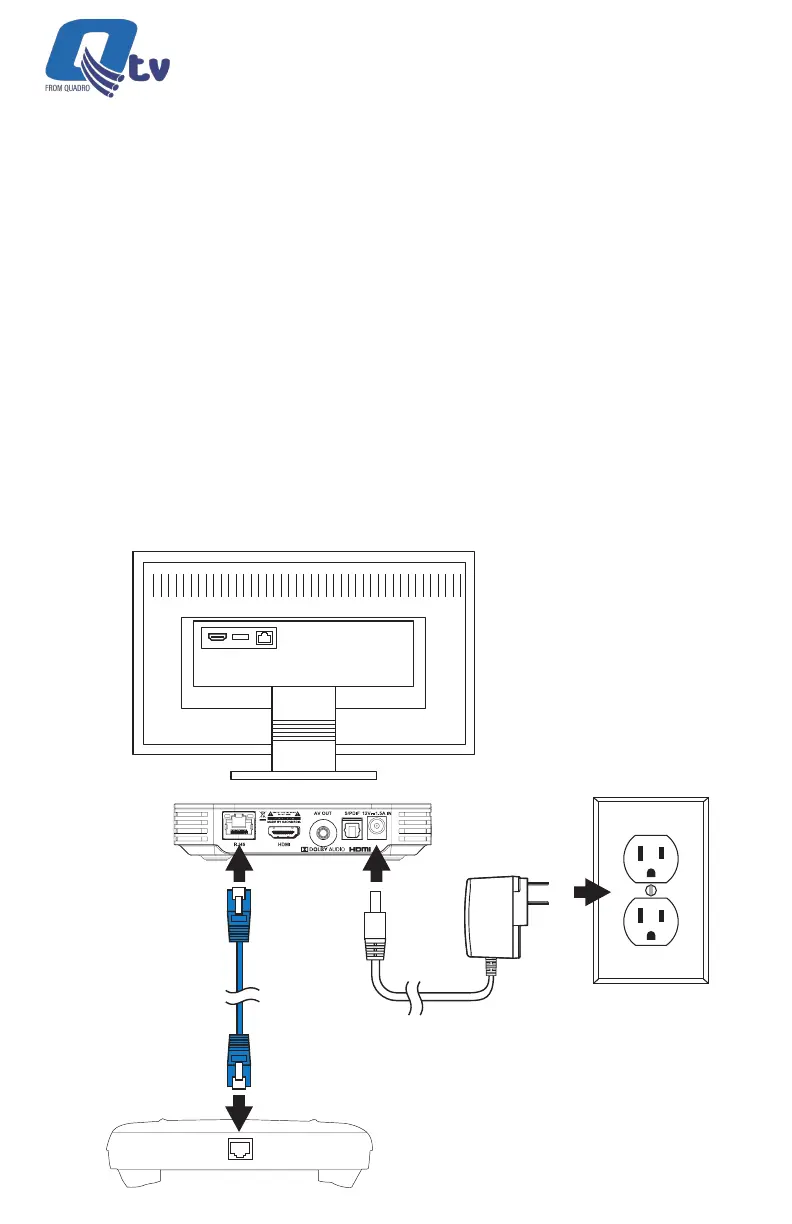
Connect the Ethernet
Cable to a Router
Connect the Power Adapter
(100 ~ 240V AC, 50/60 Hz)
Power
Input thru WiFi or
Ethernet Cable
ETHERNET LAN
Network Connection
You must connect your new STB to an internet connection through either a
WiFi wireless connection or a wired Ethernet connection.
Wired Network Connection
If your home router is near the STB location, a CAT-5/5e/6 Ethernet cable may
be used for internet connectivity. Plug one end of the CAT-5/5e/6 cable into
the STB RJ45 port. Plug the other end of the cable into any LAN port of your
home router.
Qtv 2020 | Installation Guide



 To Next Page