Speed Selection
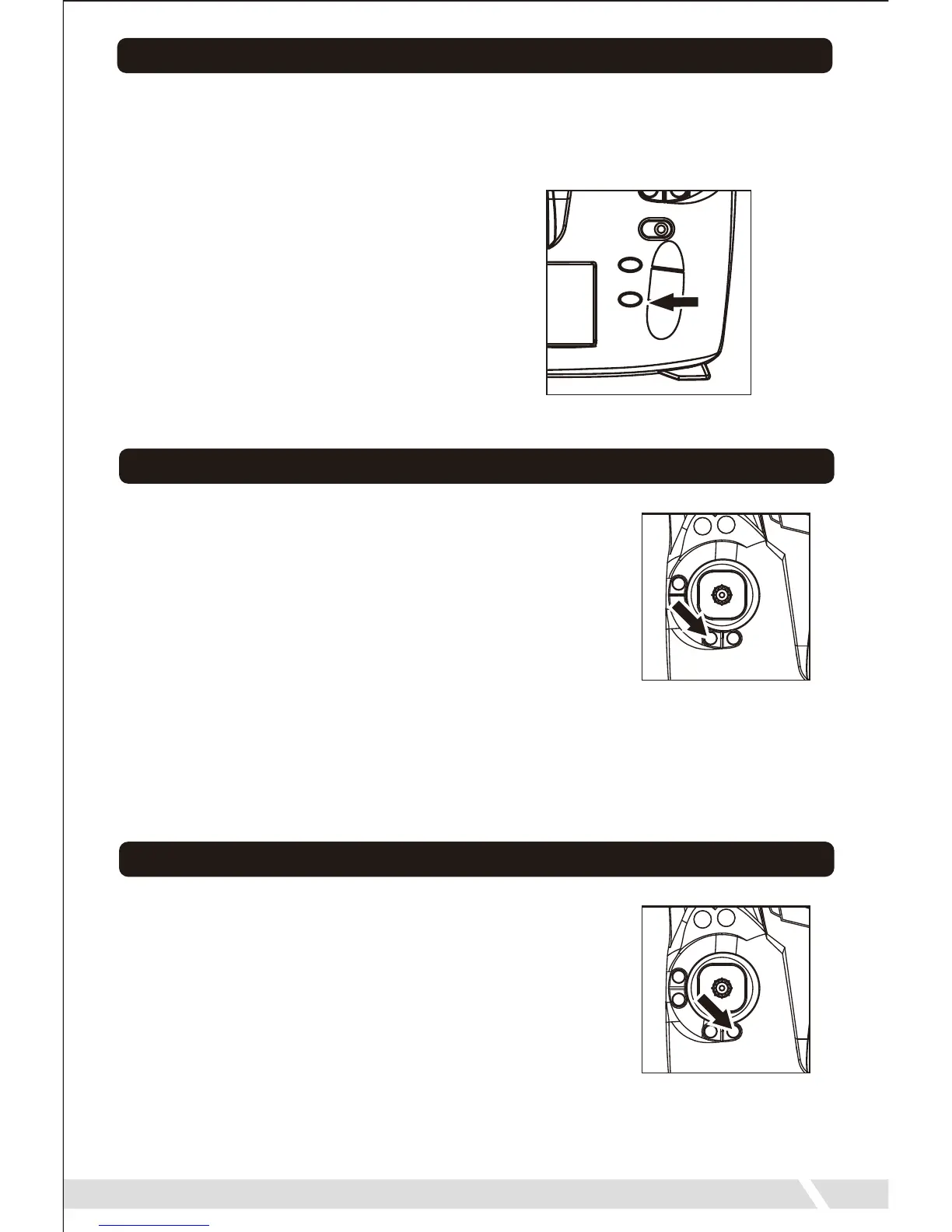
• Your Quadrone can fly at four speeds. To select a speed, simply
press the Speed Selection button on your remote change the speed.
The remote will beep each time the speed changes. The default speed
is 25% full speed.
10
Headless Mode
• When in Headless Mode, no matter what direction
the quadcopter faces, it will respond according to
the direction pushed on the remote. (Forward on
the remote will make the quadcopter fly forward,
even if it is pointing in another direction.) To enter
Headless Mode, simply press the Headless Mode
button on your remote. The remote will begin to
beep and the lights on quadrone begin to flash to
indicate you have now entered Headless Mode. To exit Headless
Mode, simply press the button again. The remote will beep again and
all lights will remain on and return to normal.
25% Speed: 1 Beep
50% Speed: 2 Beeps
75% Speed: 3 Beeps
100% Speed: 4 Beeps
One-Key Return
• When in One-Key Return, no matter what direction
the quadrone faces, the pilot will simply have to
press the One-Key Return button and the
quadrone will fly back to the remote. To use
One-Key Return, the drone must already be in
Headless Mode. Simply press the One-Key Return
button. The remote will give a single beep, and the
quadrone will fly back towards the remote. To exit
One-Key Return, you can push One-Key Return button, or move the
directional joystick and you will return to Headless Mode.


 To Next Page