• Your Quadrone can fly at four speeds. To select a speed, simply
press the Speed Selection button on your remote change the speed.
The remote will beep each time the speed changes. The default speed
is 25% full speed.
B
A B
A
A
11
• If a blade breaks or falls off your Quadrone during a crash, it will be up to you to repair it.
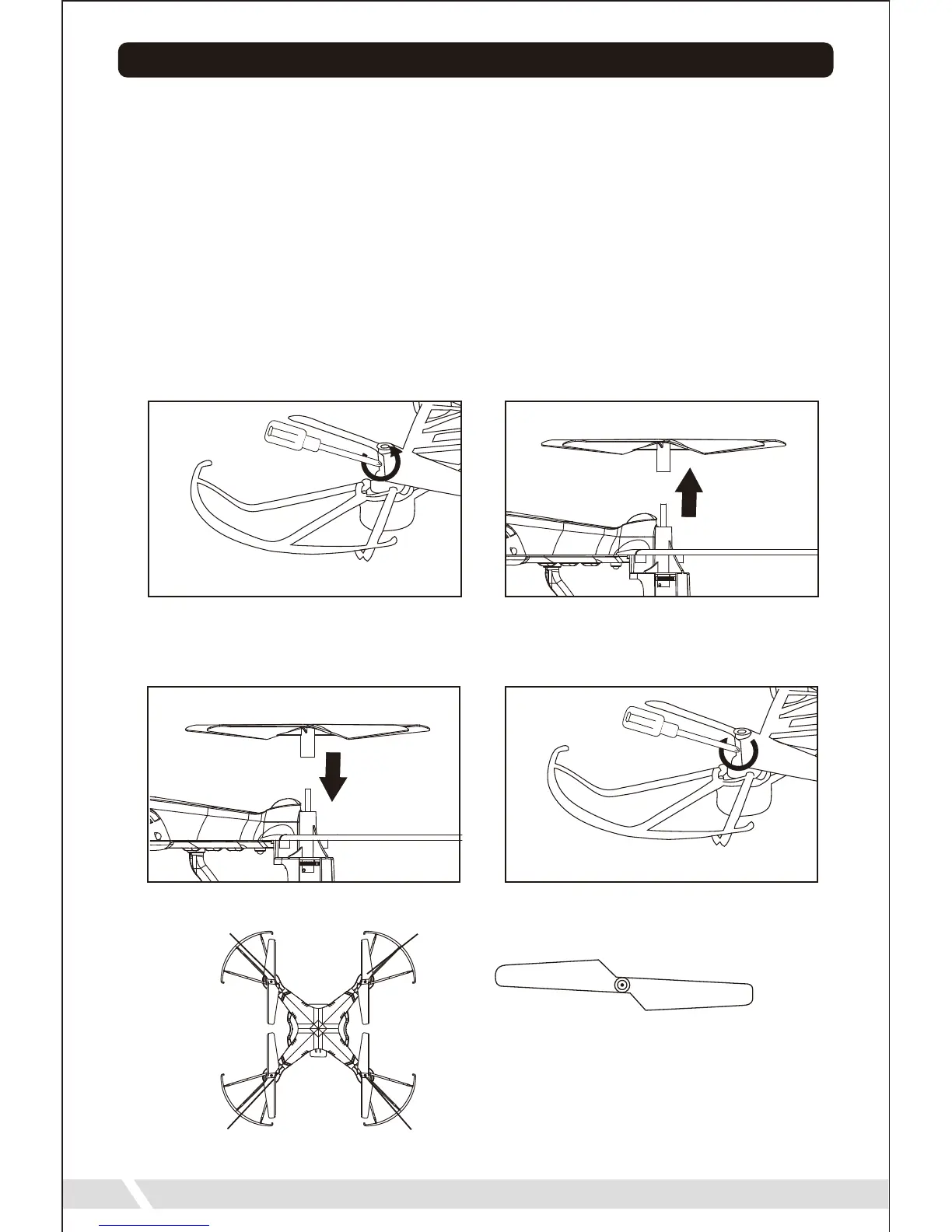
Use the screwdriver included in the package to remove the screw, detaching the
Propeller from the Drone. Rotate counter-clockwise to loosen. Remove the damaged
blade from the motor. You can now attach a new blade. It is important for the correct
blade to be put on the correct motor or the drone will not fly correctly. A letter is marked
on each blade to indicate which motor it should go on.
See diagram below:
Once you have mounted the new blade, you can refasten it with the screw.
Rotate clockwise to tighten.


 To Next Page