EasyManua.ls Logo

QUAN SHENG TG-UV2PLUS - Page 10

QUAN SHENG TG-UV2PLUS
20 pages
Print Icon
To Next Page IconTo Next Page
To Previous Page IconTo Previous Page
Loading...
12
13
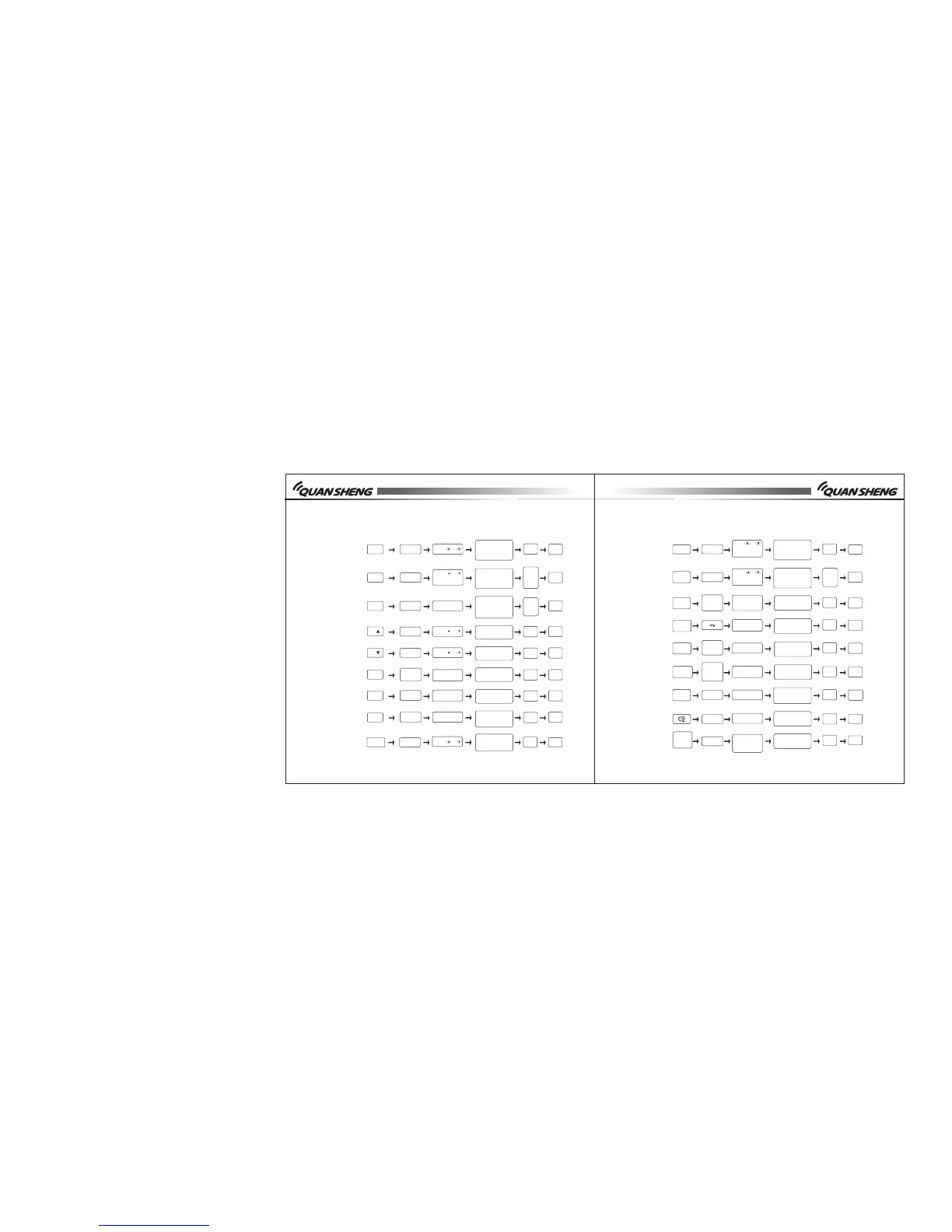
NO.
Feature
Fast key
LCD
display
Parameter
Selectable
Confirm
VFO
mode
Page
16
F+0+7
W/N
*
F or
PTT
MR/
VFO
F+0+8
DEL
H
*
F or
PTT
F+0+9
RESE T
F or
PTT
F+
S
PTT
F+
S
PTT
F+MAIN
F+PTT
TX 175 0
F+LED
F+
LED
WX
17
18
19
20
21
22
23
F+MON
SQL.
*
MR/
VFO
24
P22
P22
-23
P23
P24
P24
P25
P23
P23
-24
Wide/narrow
bandwidth
Channel delete
Reset
Upward scanning
Downward
scanning
Main/sub
channel shift
Sending 1750
signal
C r o s s - b a n d
receive/transmit
Squelch level
Top/b otto m
rows display
shift
Press or
Press or
Press or
Press or
Press or
or input num-
bers directly
Repea tedly
press F +MAIN
W: 25k
N: 12. 5k
Any cha nnel
be sto red
Press MR/VFO, it
will display "RUST".
? to remind you wh-
ether you want to
delete.
Upwa rd
Down ward
Main /sub
Only t his
0-9: 9 L evels
0: Low est
9: Hig hest
Press
twice
MR/
VFO
Press
MR/
VFO
again
Auto
Auto
Auto
Auto
Auto
Auto
Repea tedly
pre ss F+PTT
Any setting within
frequency range
P23
NO.
Feature
Fast key
LCD
display
Parameter
Selectable
Confirm
VFO
mode
Page
25
26
27
F+MR/
VFO
SAV H
**
Shift
between
F0,F1,
F2,F3,F4
S
F+MR/
VFO
F+MR /VFO
MR/
VFO
agai n
MR /
VF O
F+MR/
VFO
F0 -F4
32
33
MR/
VFO
_Glitters
F+BAND
29
30
31
28
P25
P26
-27
P27
P27
P27
P28
P28
P28
P28
-29
Auto
Auto
Auto
Auto
Auto
Auto
Auto
Auto
Auto
Auto
Auto
Auto
Auto
Auto
Auto
Channel store
Keylock
""shift
Frequency
bands shift
Jacklight
FM Radio
Press F
long
P ress
MAIN
Pr e s s
BAND
Directly input
when on
frequency
mode
F * and
chan nel
shif t
""up/
down row
shift
Press or ,
press BAND to
enter the next
letter
Press or
to directly
input number
Repeatedly
press MR/VFO
Press BAND
ON/O FF
Program by
computer or
direct input
Press MR/VFO, it
will display"SAVE".
?to remind you
whether to store
Press F for more than
2 seconds, you may
keylock or unlock
" "i ndi cates
ma in ch annel
F0 to F4
Displays: ON
Not Displays:
OFF
ON/O FF
Frequency range
88-108MHz
Letters (A-Z)
Numbers (0~9)
Symbols (+ * - /)
Scan list
additive
Channel
name edit
Chan nel/
Freq uency
Frequency
channel mode
shift