780 Handheld Test Instrument Page 30
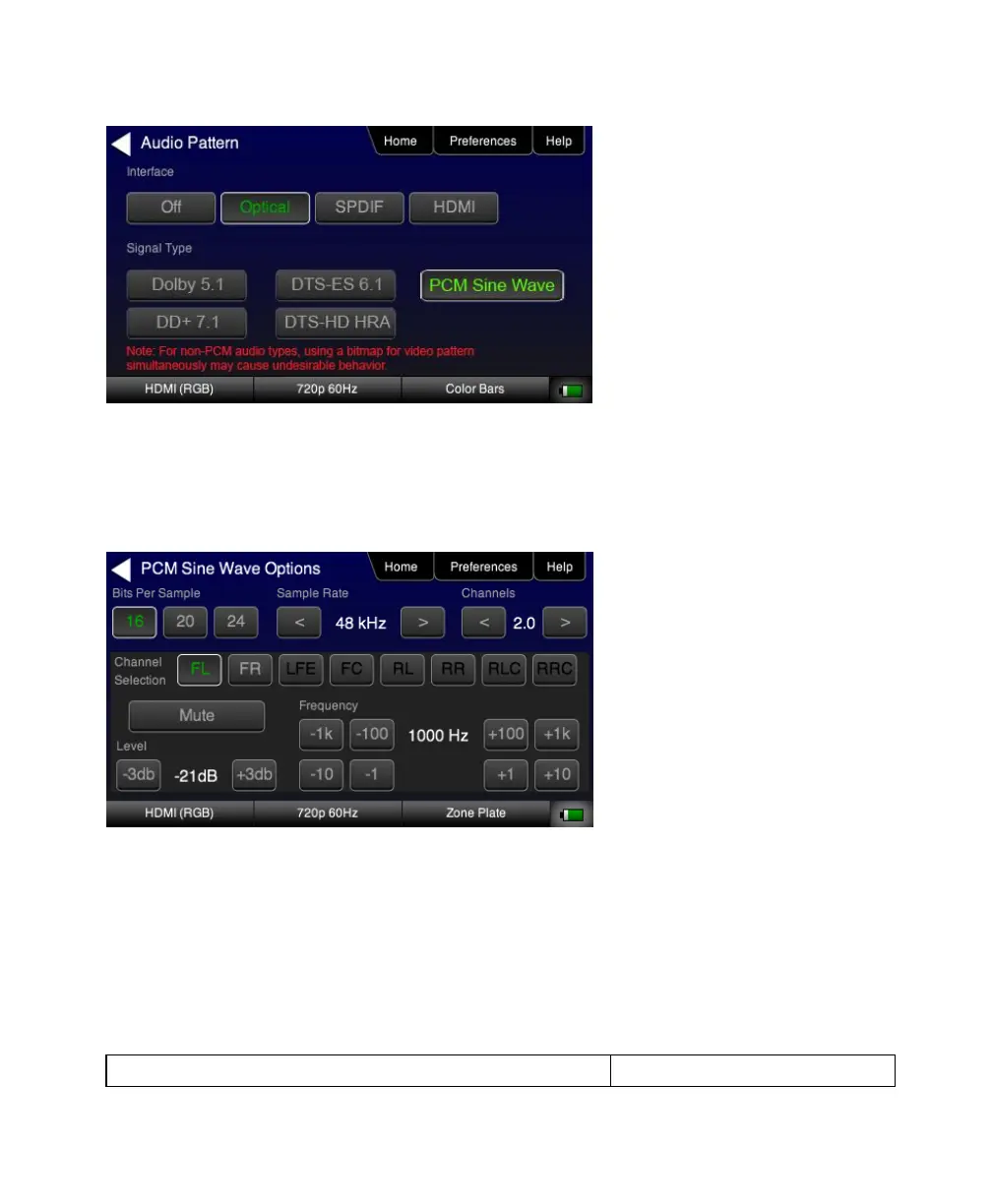
3. Touch select the desired Interface (shown in the screen above) to select the active digital audio output. (Optical
selected in the example screen shot above.)
4. Double touch select the PCM Sine Wave item (shown in the screen above).
The PCM Sine Wave Options menu appears as shown below:
5. Touch select the values for the Bits per Sample using the three buttons provided. (24 bits is selected in the
example above.)
6. Touch select the Sampling Rate by incrementing the associated arrows adjacent to the current value. (Refer to the
screen shot above which shows 96 kHz selected.)
7. Touch select the Channels by incrementing the associated arrows adjacent to the current value. (Refer to the
screen shot above which shows 7.1 selected.)



 To Next Page