780 Handheld Test Instrument Page 41
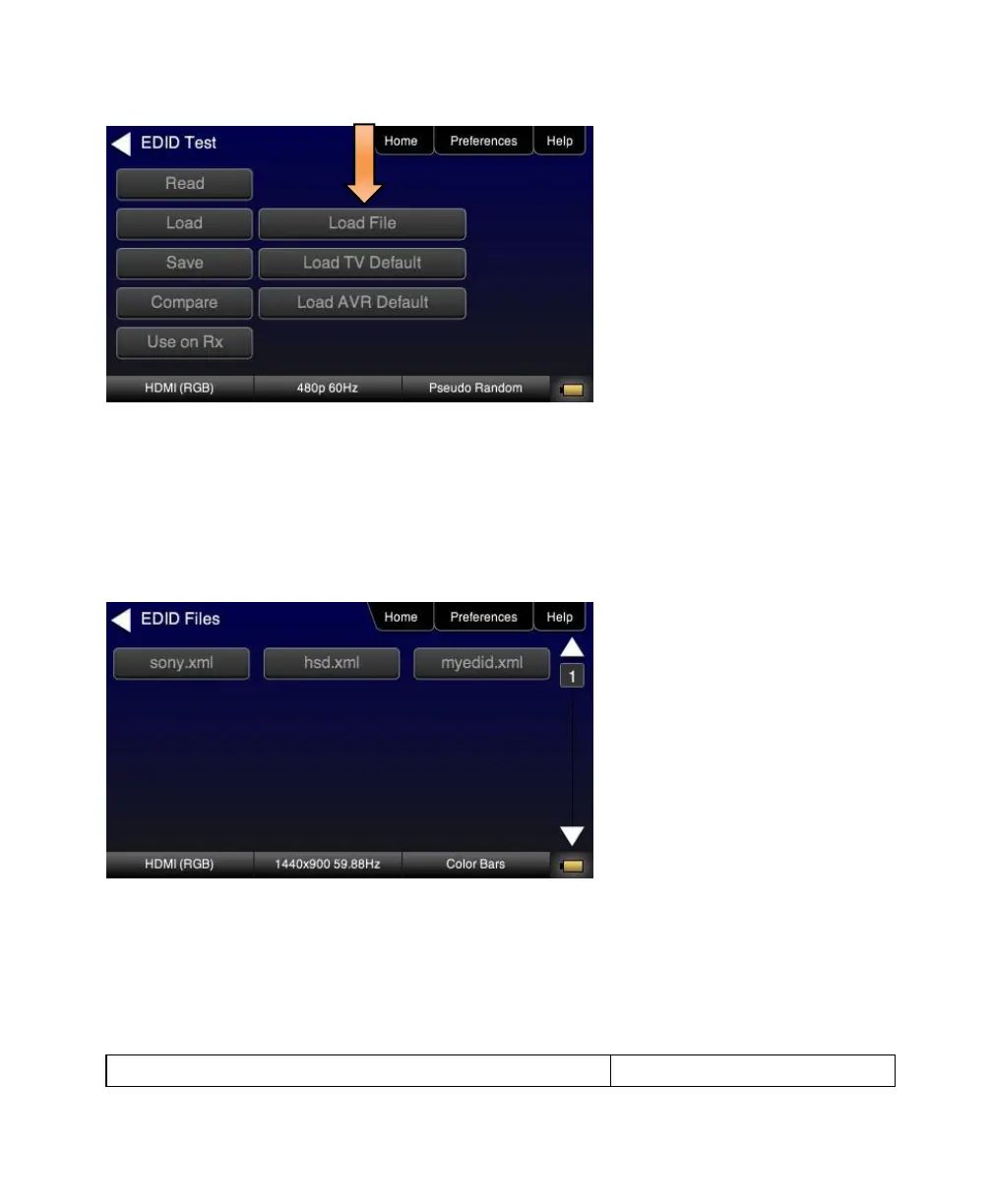
5. Touch select the Load option from the EDID Test menu shown above that you want to use as a reference EDID.
The options:
Load File – Loads from an EDID file stored on the 780 file system
Load TV Default – Loads the standard reference EDID for a TV from the 780 file system
Load AVR Default - Loads the standard reference EDID for a AVR from the 780 file system
6. If you have selected the Load File option, the following screen results. Select the file that you wish to use as the
reference EDID. In the example below there is only one file.
The EDID is loaded and displayed on the screen.



 To Next Page