780 Handheld Test Instrument Page 85
8.1.2 Procedures for Running an HDMI Cable or Network (“Repeater”) Test
This subsection provides procedures for performing an HDMI cable test or a test of an HDMI network comprised of
repeaters, splitters, extenders, switches, etc.
1. Follow the procedures above (Rendering Test Patterns on an HDMI HDTV) for rendering a Test Pattern on an
HDMI HDTV.
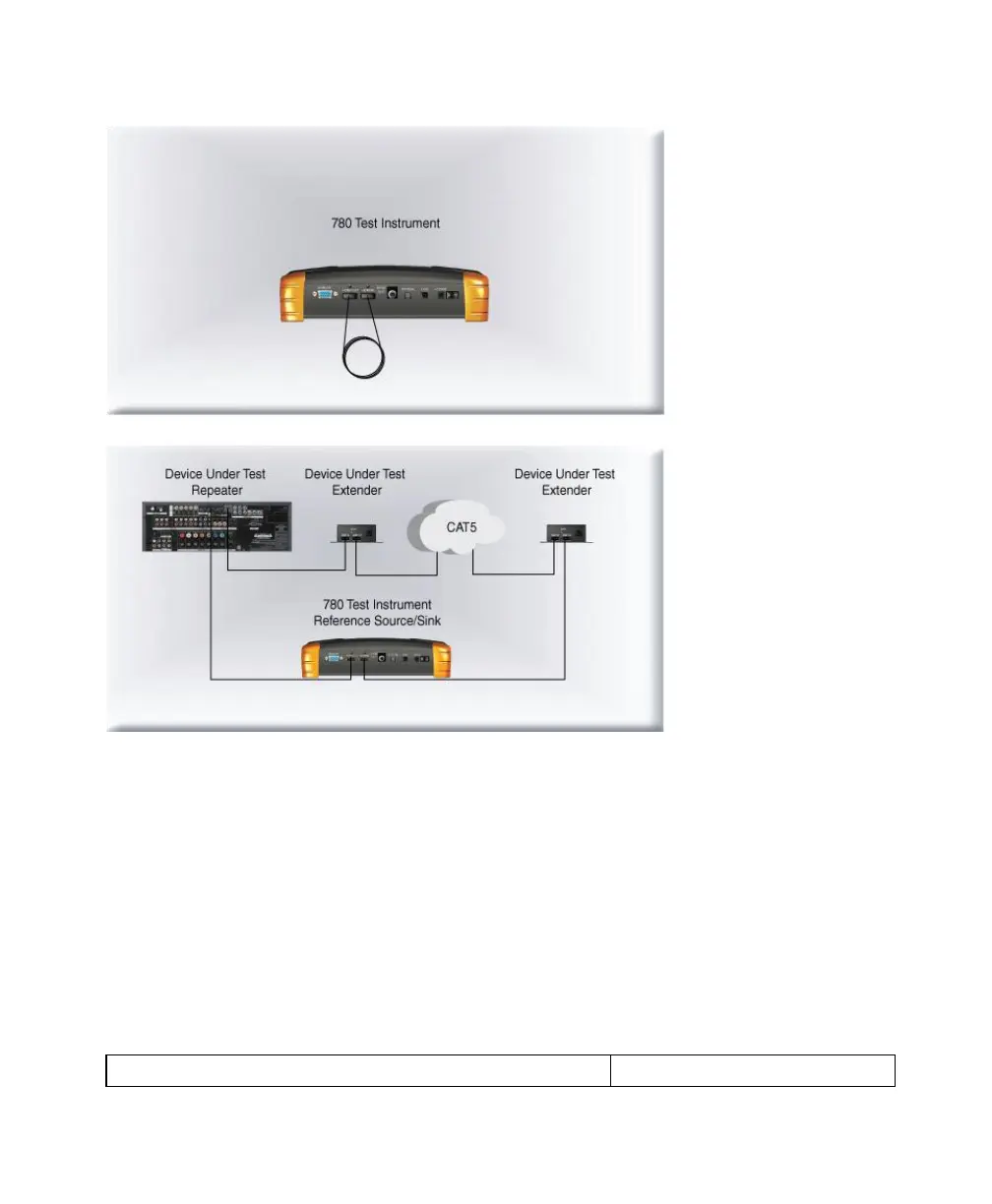
2. For testing an HDMI cable, connect one end of the HDMI cable to the 780 HDMI OUT connect and the other end to
the 780 HDMI IN connector.
For testing an HDMI repeater device such as a repeater, video or audio processor, extender, switch, etc, connect
the 780 HDMI OUT connector to the repeater device input and connect the 780 HDMI IN connector to the repeater
device output.
3. Touch select Cable/Repeater Test from the top level menu shown below.



 To Next Page