780 Handheld Test Instrument Page 88
1. Follow the procedures above (Rendering Test Patterns on an HDMI HDTV) for rendering a Test Pattern on an
HDMI HDTV.
2. Connect the far end of the HDMI cable (at the display or HDTV) to the 780 HDMI IN connect.
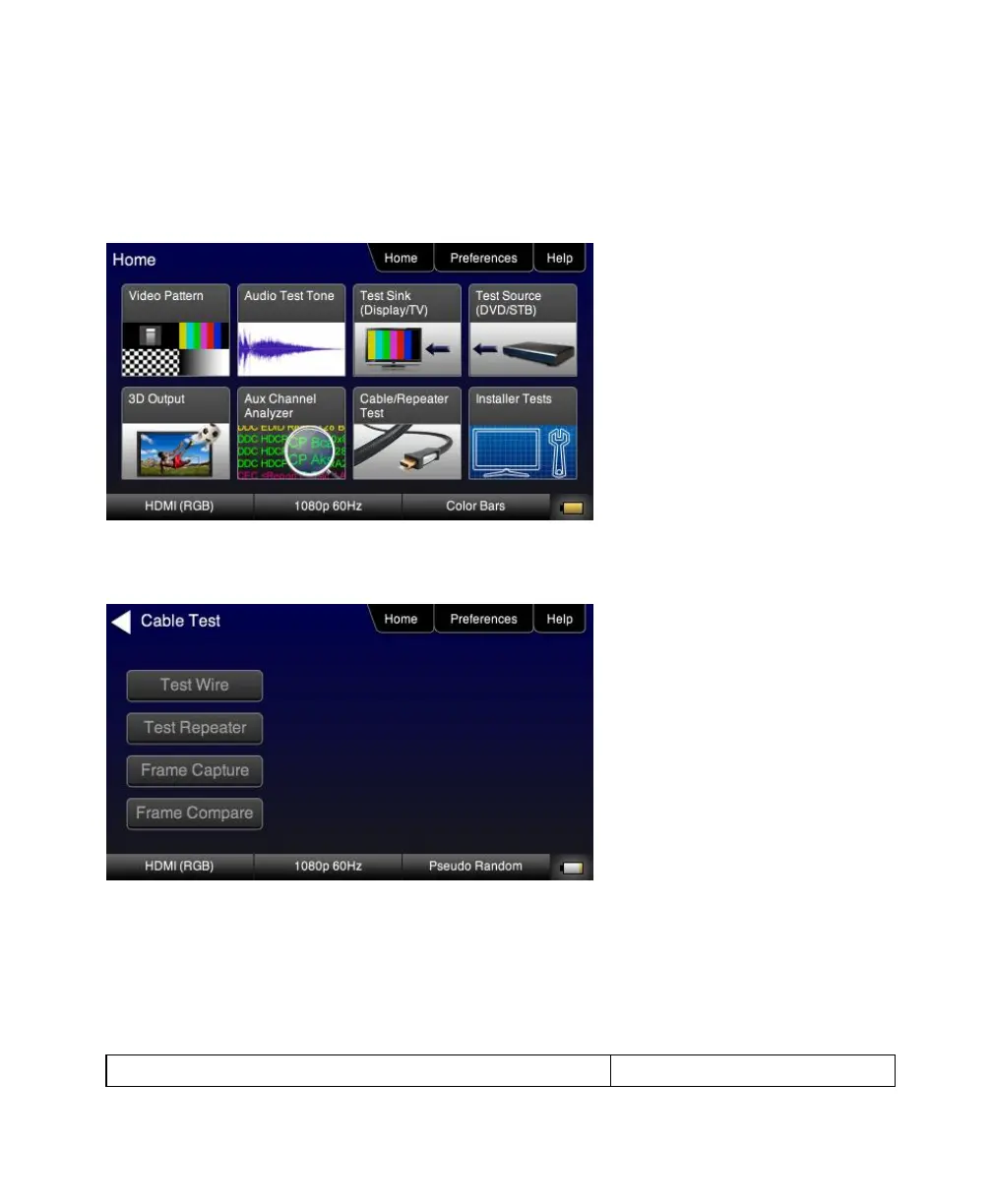
3. Touch select Cable/Repeater Test from the top level menu shown below.
The following screen appears:
4. Select Frame Capture to capture a reference frame.
The 780 will capture a frame and indicate that the +5V was detected properly or not. The screen below shows these
results.



 To Next Page