IMPphoneusermanual
35
left;tapsmallicontoreturnplayerwindow.
Playlist
Addvideos:Tap“Add”,thenchoosevideofilesyouwantplay(youcanchooseby
tappingfileiconchangedto
).TapOKtoaddtolist.
Deletevideos:Tap“Delete”,thentapDeletebuttononscreen.
Note:theplayingvideocannotbedeleted.
Changeplayingsequence:Ta p
inthelisttomovethemusicfileup
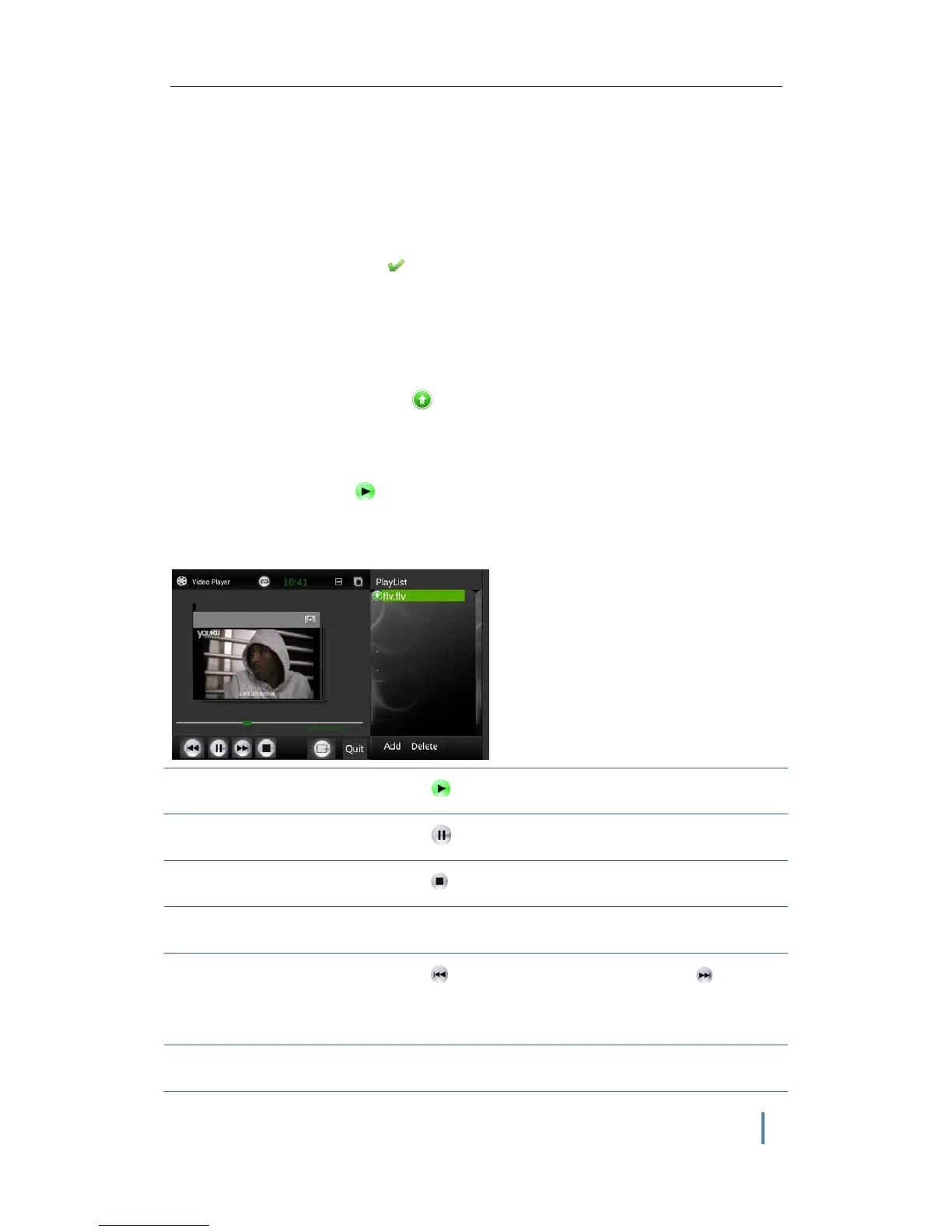
Playvideo
ChooseavideoandTap .
Videoplayingcontrol
Play
Ta p
.
Pause
Ta p
.
Stop
Ta p
.
Volume+/-
Pressvol+/-keyonthephone.
Next/previous
Ta p
to jump to previous video; tap tojump
tonextvideo.
Skiptoanypointinavideo
Dragtheplayheadalongthescrubberbar.


 To Next Page