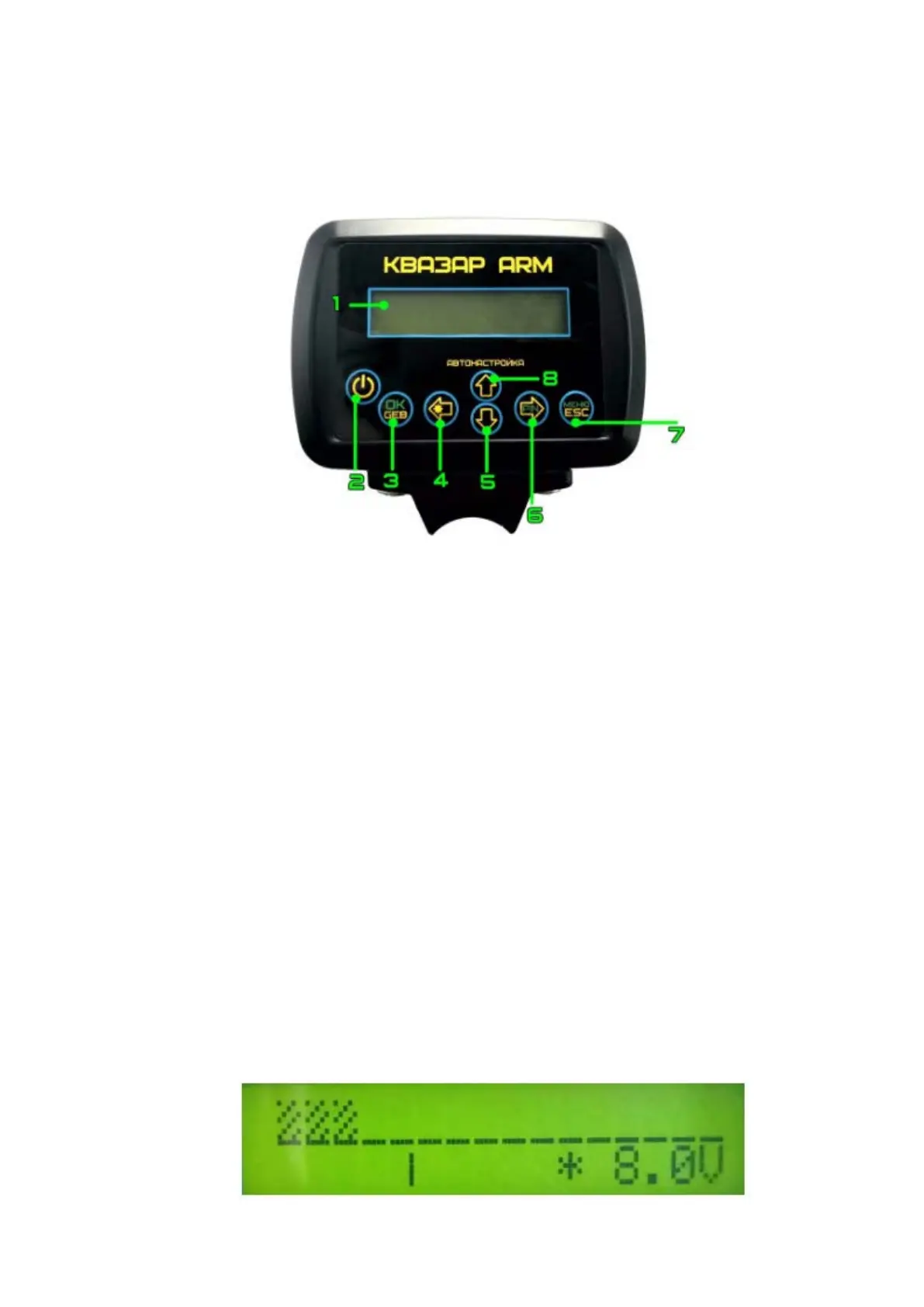
Electronic unit:
1 - LCD display.
2 - Turn on / off the device.
3 - “OK” button, enter button for the soil balance menu.
4 - “Left” button, backlight on / off button.
5 - Button.
6 - “Right” button, pinpoint call button.
7 - “Cancel” button and button to enter the device menu.
8 - Up button.
Instrument screen in main mode:


 To Next Page