3) Connect the ④Plug into ⑤Holder, then cover the ③Heater with the ②Steel pipe and
lock it.
4) Connect grounding cable and tighten it.
5) Install the replaced ③Heater into the ⑥ Handle, lock the three ①Screws.
6) Turn the spring counterclockwise until the handle is installed.
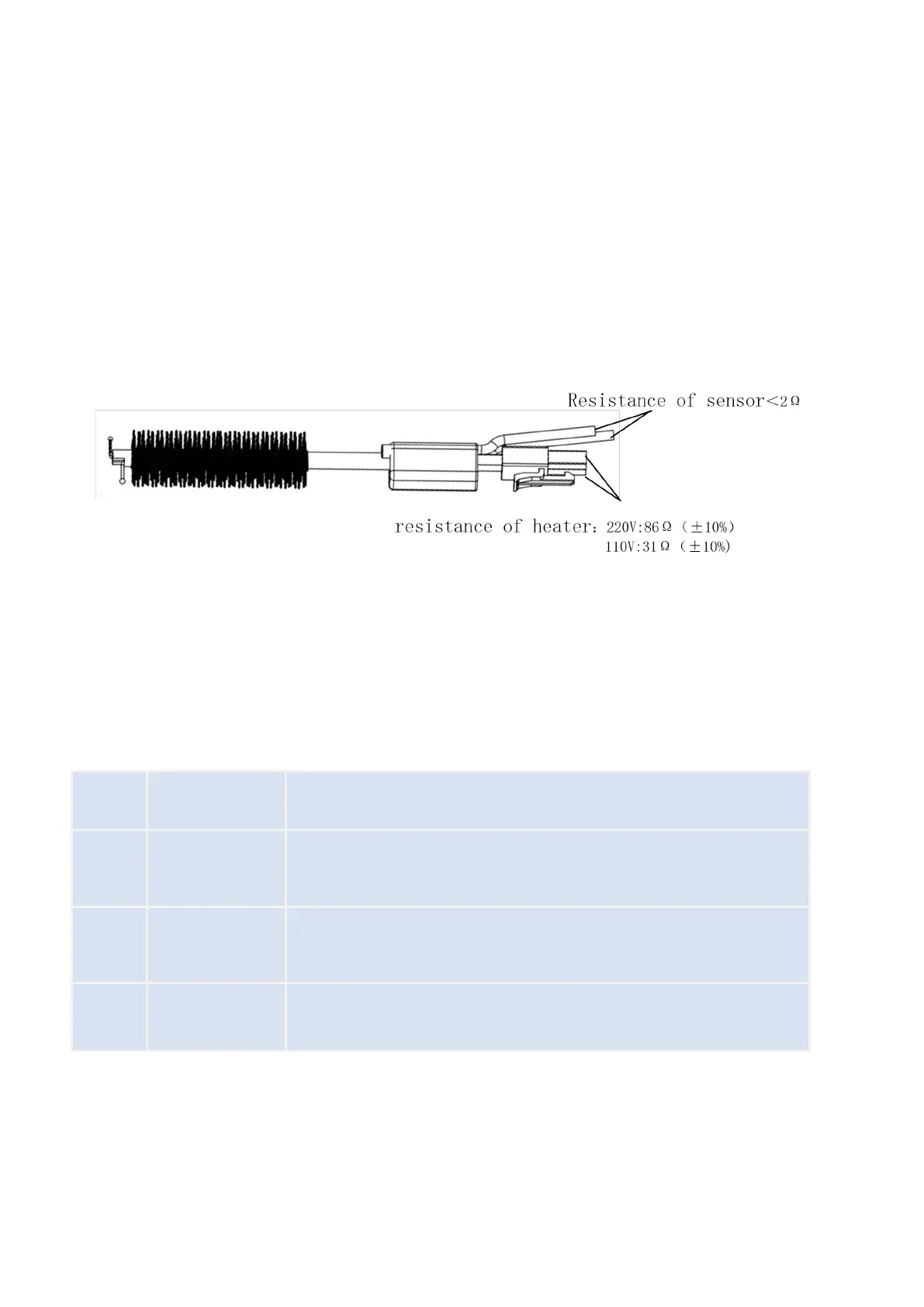
7) After replacing the heater, test the following parameters:
8) Calibrate the temperature, refer to Soldering temperature calibration.
Indicates that there is a problem with the heater and the heater needs
to be checked or replaced.
Indicates that there is a problem with the sensor and the sensor needs
to be checked or replaced.
Indicates that the fan is faulty and needs to be checked or replaced.


 To Next Page