33
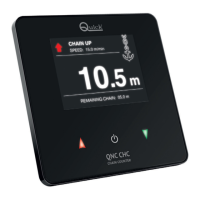
QNC CHC
EN
INSTALLATION AND USE MANUAL - REV 001A
SPEED: 15.0 m/min
CHAIN UP
CHAIN DOWN
MENU
CHAIN UP
SPEED: 15.0 m/min
CHAIN DOWN
CHAIN DOWN
MENU
CHAIN UP
SPEED: 0 m/min
NEXT
SELECT
PREV
MENU
HOME
3.0 - INSTRUMENT OPERATION
3.7 - Access to icon menu
Getting the anchor aweigh
To get the anchor aweigh, press and hold
p
key until the
desired position, then release the key.
Lowering the anchor
To lower the anchor, press and hold
q
key until the
desired position, then release the key.
3.6 - Electric Windlass operation
It is also possible to get the anchor aweigh and lower it with an auxiliary electric control. The chain counter will measure
the length of the chain lowered in any case.
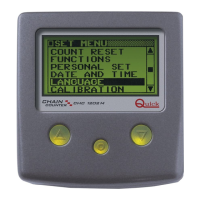
3.8 - Menu
Press and hold
key until the progress bar is completed.
Promptly release key during double flashing to access the menu.
The menu contains 8 icons.
Use
p
and
q
keys to move between the icons.
The selected icon is displayed with a green frame.
Press
key to enter a specific submenu or function.


 To Next Page