Need help?
Do you have a question about the Quick THRUSTER COMMAND TCD 1022 E and is the answer not in the manual?
Guidance on selecting the optimal location for the control panel, considering access and environmental factors.
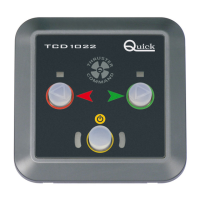
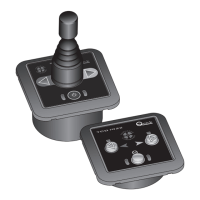
Description of the TCD 1022 control panel interface, including enablement button, direction buttons, and LEDs.
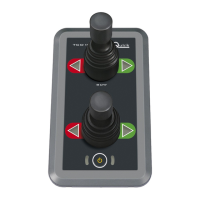
Details the TCD 1042 control panel interface: enablement button, joystick, enablement LEDs, and direction LEDs.
Procedure to enable the remote control, involving pressing the enabling button and observing LED feedback.
Instructions for activating the bow thruster using the TCD 1022 buttons or TCD 1042 joystick.
Explains how to activate the stern thruster, noting it's used similarly to the bow thruster.
Conditions under which the control panel is disabled, including enablement button press and inactivity.
Explains operation when multiple TCD controls are installed in parallel, with only one active at a time.
Procedure to disable or re-enable the acoustic signals emitted by the control panel.
Describes how the control panel signals system errors, including checksum error flash.
Details problems that reset automatically, such as insufficient voltage supply and button presses.
Explains how manual reset problems are signaled by LED flashes and sounds.
Annual checks for cables and connections, and cleaning instructions for the control panel.
Details output/input characteristics, ambient conditions, dimensions, weight, and EMC class.
Illustrates the physical dimensions of the TCD 1022 control unit with measurements in millimeters.
Shows the physical dimensions of the TCD 1042 control unit, including joystick, with measurements.
Indicates where to find the product code and serial number for the TCD 1022 E / 1042 E.
 General
| Brand | Quick |
|---|---|
| Model | THRUSTER COMMAND TCD 1022 E |
| Category | Remote Control |
| Language | English |

 To Next Page