11
Volume
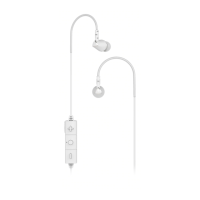
To adjust the volume when listening to music,
Press and hold the Vol+ or Vol-. When you reach the
max/min volume, you will hear a warning tone.
Play Previous Song
Press Vol- to play previous song.
Play Next Song
Press Vol+ for to play next song.
Switch between English and Spanish
While the headset in standby mode and not connected
with any device, double-click MFB to switch voice
prompts between English and Spanish.


 To Next Page