EasyManua.ls Logo

Quorum Q150T ES - User Manual

Default Icon
92 pages
Print Icon
To Next Page IconTo Next Page
Loading...
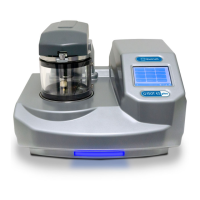
Q150T S/E/ES
Sample Preparation System
Instruction Manual
10473
Issue 5
For technical and applications advice plus our on-line shop for
spares and consumable parts visit www.quorumtech.com

Table of Contents

Question and Answer IconNeed help?

Do you have a question about the Quorum Q150T ES and is the answer not in the manual?

Summary

Installation

Connections

Steps for connecting gas, electrical, vacuum, and network supplies.

Gas Connections

Steps for connecting Argon and Nitrogen gas supplies.

Operation

Running a Profile

Steps to load a sample and run an operational profile on the Q150T.

Working with Profiles

Editing Profile Parameters

How to modify individual parameters within an existing profile.

Instrument Management

Instrument Settings

Configuring general instrument parameters via System Editor.

Network

Configuring IP address and network connection properties for the instrument.

Generic Sputter

Changing default sputter parameters for Timed and FTM Terminated Sputter profiles.

Health and Safety

General Safety Practices

Essential safety guidelines for operating the Q150T instrument.

Service and Maintenance

Maintenance

Routine maintenance tasks and recommended frequencies for the Q150T.

Troubleshooting

Steps to diagnose and resolve common operational issues with the Q150T.

Appendices

Technical Specification

Key technical specifications of the Q150T instrument.

Summary

Installation

Connections

Steps for connecting gas, electrical, vacuum, and network supplies.

Gas Connections

Steps for connecting Argon and Nitrogen gas supplies.

Operation

Running a Profile

Steps to load a sample and run an operational profile on the Q150T.

Working with Profiles

Editing Profile Parameters

How to modify individual parameters within an existing profile.

Instrument Management

Instrument Settings

Configuring general instrument parameters via System Editor.

Network

Configuring IP address and network connection properties for the instrument.

Generic Sputter

Changing default sputter parameters for Timed and FTM Terminated Sputter profiles.

Health and Safety

General Safety Practices

Essential safety guidelines for operating the Q150T instrument.

Service and Maintenance

Maintenance

Routine maintenance tasks and recommended frequencies for the Q150T.

Troubleshooting

Steps to diagnose and resolve common operational issues with the Q150T.

Appendices

Technical Specification

Key technical specifications of the Q150T instrument.

Quorum Q150T ES Specifications

General IconGeneral
BrandQuorum
ModelQ150T ES
CategoryLaboratory Equipment
LanguageEnglish

Related product manuals