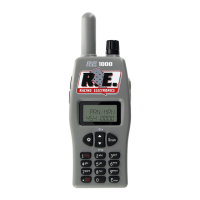
2. Four-Ways key :
Controls the display cursor and highlights display menus. Pressing the key moves the display cursor within the selected
menu.
3. Two-Step key (Shortcut key) : The keys with red alphabet have other function when they work with FUN button.
a. FUN+ FAV :
• The channel that scanner stands on will be memorized to favorite driver when FUN key presses and holds first, then
presses FAV (1,2,or 3) for three seconds.
• Scanner will go to favorite driver directly if FUN and FAV keys are pressed.
b. FUN+ Replay: Scanner turns REPLAY function from on to off or from off to on if both FUN and Replay keys are
pressed.
c. FUN+ F.SC: Scanner turns Favorite Channel Scan function from on to off or from off to on if FUN and F.SC keys
are pressed.
Main manual :
There are five items RACE SERIES, SCAN LIST, FAVORITE CHANNEL, MY PREFERENCES, PROGRAMMING
for user to edit his scanner,
• RACE SERIES: Four series of 110 channels each, there are 110 channels per series 00-09, 0, 1-99. Car
numbers correspond with the channel number in the selected series
.
•
SCAN LIST: Operating with two soft keys and 4-Ways key can select/deselect channels into/from Channel
List.
•
FAVORITE CHANNEL: Operating with two soft keys and 4-Ways key can select/deselect channels
into/from Favorite Driver List.
•
MY PREFERENCES: There are 4 items BACKLIGHT, SQUELCH, FAVORIT SCAN, and REPLAY for
setting.
a. BACKLIGHT: Operating with two soft keys and 4-Ways key can set the backlight to “On When Receive”,
“On When Key Pressed”, “Always On”, or “Off”.
b.
SQUELCH: Operating with two soft keys and 4-Ways key can set squelch level to “Low”, “Mid”, or
Sensitive.
c. FAVORIT SCAN: Operating with two soft keys and 4-Ways key can set Favorite Driver Scan on or off.
When it set to on, favorite drivers could be scanned more frequent.
d.
REPLAY: Operating with two soft keys and 4-Ways key can set Replay function on or off. When it set to
on, the last
conversation scanner received could be recorded and played back.
• PROGRAMMING: There are 6 items OVER THE AIR, KEYPAD ENTRY, WRITE ----SCANNER, READ ----
SCANNER, RACE SERIES, and RESET SCANNER for user to program his scanner.
a.
OVER THE AIR: Track programming broadcasts are radio transmission that is broadcasted at the track.
They contain race series driver channel information. When the scanner is set to OVER THE AIR,
programming transmissions are automatically download into the scanner. This is the preferred and
fastest method of updating the scanner with the latest track/driver frequencies, names, codes and
channel numbers. Note! REPLAY function must turn to off before this function is executed.
b.
KEYPAD ENTRY: To enter track/driver frequencies, codes and driver names by manual.
c.
WRITE ----SCANNER: To download/ track/driver frequencies, codes and driver names from PC or
source scanner.
d.
READ ---- SCANNER: To upload/ track/driver frequencies, codes and driver names to PC or
destination scanner.
e.
RECE SERIES: To edit banks name.
f.
RESET SCANNER: To delete all data and return to default setting.
Secondary Menu:
Allow quick access to ease of menus use. There are two secondary menu, one inside SERIES and the other one
inside SCAN LIST. Secondary menu are submenu associated with a primary main menu. They are displayed as a
pop-up window on the display screen
a. Press the Right (MENU) key while in stop scanning mode, display shows SCAN LIST, PROGRAM,
FAVORITE, and MANU in the pop-up windows for user to select the desired option.
b.
When inside SCAN LIST, press MENU key to enter secondary pop-up menu. Scanner offers SELECT
ALL, SELECT NONE, and MANU for user to select the desired option.


 To Next Page
 Loading...