2
Operation Instruction
RD23
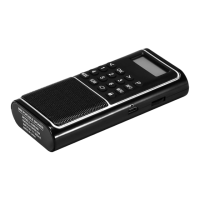
(1) ON/OFF: Power switch, turn on or turn off this radio;
(2) : Earphone output jack. Plug in earphone, then
the audio will transfer to the earphone, the speaker will
be mute;
(3) USB: Plug in USB flash drive with MP3 files inside
and then the MP3 files can be played;
(4) TF: Plug in TF card with MP3 files inside and then
the MP3 files can be played (may not play other format
audio files except MP3 format); Please insert the TF
card in right direction. If not, may damage the TF card
or the TF card slot of this product;
(5) : Volume knob, volume up to the big side,
volume down to the small side;
(6) DC5V IN: DC5V charging jack, please kindly use
the standard mobile phone charger to charge this
radio;
(7) LED: Charging indicator. When charging, it is in red
color; when fully charged, it will turn green color;
(8)
: In USB/TF mode, short press for previous MP3
file while hold press to rewind; In FM mode, short press
for previous station with less 0.1MHz, hold press to
scan previous valid station; In DAB mode, short press
to scan previous DAB station and will play the station 2
seconds after scan out. Use with “P” button or “MENU”
button to choose previous choice;
(9) OK: In USB/TF mode, short press to play or pause;
In FM/DAB mode, short press to turn speaker mute;
Short press to confirm after press “P” or “MENU”
button;


 To Next Page