4
RD23
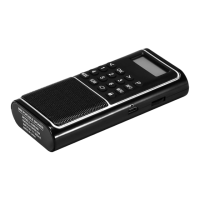
DAB/Bluetooth/USB/TF; Hold press to turn to time
clock to display time and date;
(17) MENU: System setting button;
(18) 1-6: Press the number button to play the stored
stations/music directly.
Because different places use different frequencies,
when use this radio first time. You need to scan local
FM radio stations as follows:
Turn on this radio and short press “MODE” button to
change to FM mode. Pull out the radio antenna, then
hold press the button “SCAN” for over 1.5 seconds.
The numbers on the display screen will jump up quickly
from 87.5MHz and stop at 108MHz, which means the
FM radio is scanning stations automatically. When it
finishes the scanning, it will automatically turn back to
play the first station. If scan out few or no FM stations,
you can scan it again.
When finishes scanning, it will automatically store the
stations, and you can select your desired station to
play with following 3 methods:
(1) Short press “P” button to enter recalling preset
station mode, and then short press “ ” or “ ” button
to check each preset station, and short press “OK”
button to play your desired preset station;
(2) Short press 1-6 number buttons to directly select
station to play. When you find your interested station,
you can hold press 1-6 number buttons to store this
station to this number, then next time, you can short
FM Radio


 To Next Page