
 Need help?
Do you have a question about the Radenso Pro M and is the answer not in the manual?
Highlights key features like sensitivity, detection range, band support, modes, and display options.
Details the main purpose of protecting drivers from speeding tickets and fines through detection.
Describes how users are alerted to detected signals via visual, voice, and tone indicators.
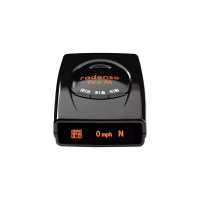
The main radar detector unit, characterized by its small size and intuitive OLED display.
Includes the power cable for operation and the windshield mount for installation.
Accessories for compact travel storage and for connecting to a computer for updates.
An optional accessory to hardwire the unit directly to the vehicle's power system.
An optional mount that attaches the detector to the vehicle's visor.
Provides step-by-step instructions for initial setup and basic operation.
Detailed procedure for firmly and securely mounting the radar detector on the windshield.
Details the Power, Display/Lockout, and Driving Mode buttons for core functions.
Covers the Release button, Volume controls, and USB port for various operations.
Explains how to mute alerts using the Power, Display, or Driving Mode buttons.
Configures driving modes, speed thresholds for muting, and band sensitivity in City modes.
Customizes how alerts are displayed (bar/frequency) and manages voice alert activation.
Allows selection of specific alert tones for X, K, Ka, and MRCD radar bands.
Allows selection of specific alert tones for MRCT, Gatso, and Laser signals.
Configures detection and filtering for various radar bands (X, K, Ka) and specific frequencies.
Enables or disables detection for Ka POP, Laser, MultaRadar (CT/CD), and Gatso radar.
Manages GPS announcements, speed camera detection, warning distances, and location data.
Controls startup sound, time display, and provides options for factory reset.
Configures minimum alert detection speeds and radar band sensitivity in City/AutoCity modes.
Marks known false alert areas to prevent future audio alerts at those specific locations.
Addresses issues where the detector or its display does not turn on.
Troubleshoots problems with visual alerts but no corresponding voice or audio output.
Solutions for mounting adhesion problems and managing false alerts from various sources.
Diagnoses reasons for missed radar, laser, or camera alerts and potential windshield interference.
Outlines the terms, duration, and scope of the manufacturer's limited warranty.
Specifies the 12-month validity period and what RADENSO agrees to repair or replace.
Lists conditions and purchases that are not covered by the warranty or will invalidate it.
Lists the specific radar frequencies the device is designed to detect across various bands.
Provides the FCC ID and notes on device compliance with FCC rules.
Provides Radenso's address, phone number, and email for customer assistance.

 To Next Page

 General