19
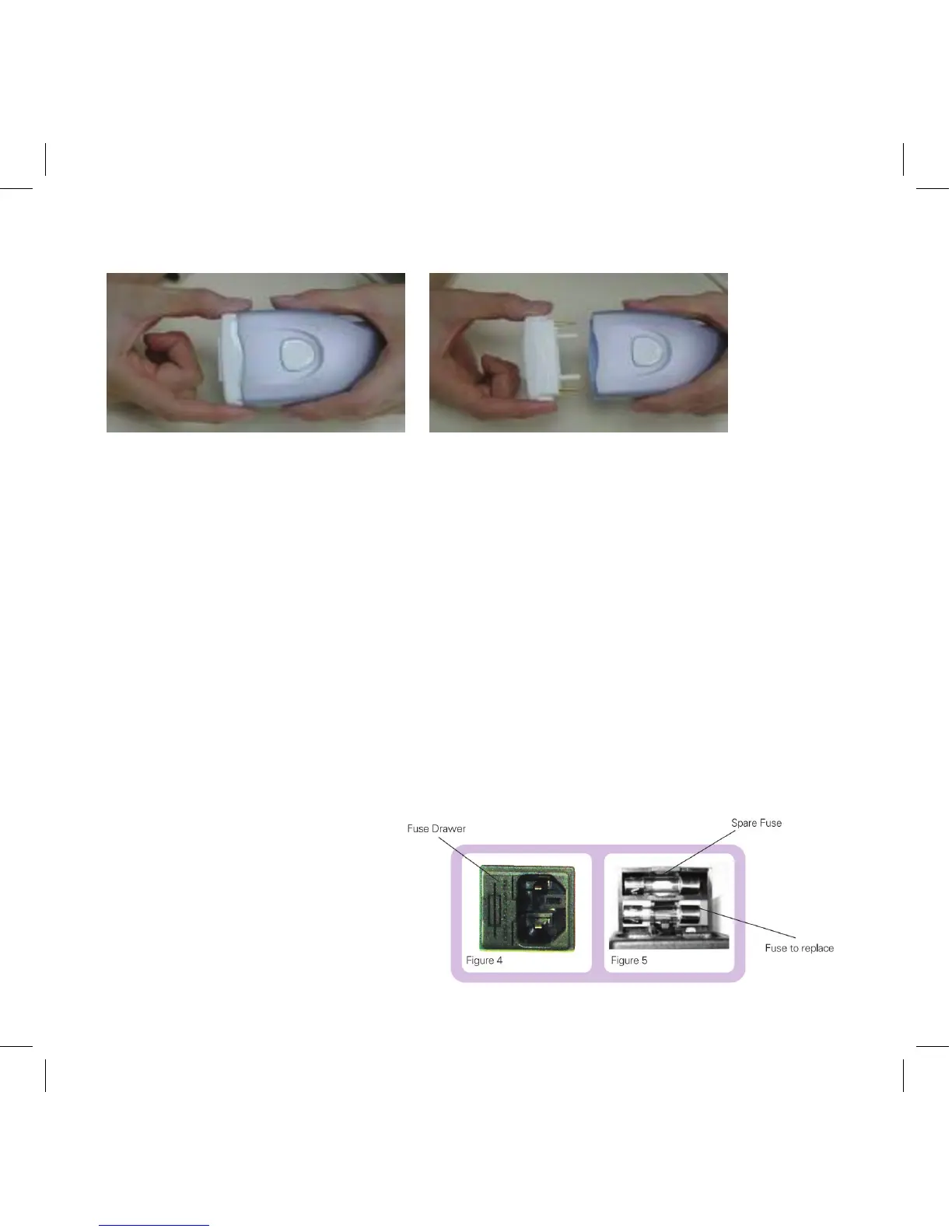
To insert or replace the LUA:
Picture A Picture B
1. Turn the device off and unplug the cord from the electrical outlet�
2. Grasp the LUA by both ends and pull it out of the socket (Picture A)�
3. Line up the holes in the socket with the metal and plastic posts in the LUA and
push it gently into place (Picture B)�
4. If correctly installed, the LUA will spring back when pushed in and released�
Fuse Replacement
Should the device turn off unexpectedly or fail to operate when you have plugged it in
and pushed the on/off switch, it is possible that you may have a blown fuse� To check
this:
1. Turn the device off and unplug the cord from the wall electrical outlet�
2. Pull out the fuse drawer located at the rear part of the base� Remove the inner fuse�
Check the filament if it is severed the fuse needs to be replaced�
3. Replace the fuse with the
spare (located in the outer
bay of the fuse drawer) and
push the drawer back into
place�



 To Next Page