EasyManua.ls Logo

Radiant Innovation TH520 - User Manual

Default Icon
5 pages
Print Icon
To Next Page IconTo Next Page
Loading...
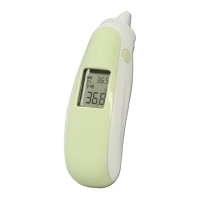
TH520 Multi-function Infrared Thermometer
Functions
Real Time Clock
The real time clock will be recorded with the memory function and help you to recognize each
measurement result. (It includes the 12/24 Format_Hour_Minutes_Date.)
à
Please see the Real time clock settingsection to learn how to setup the time in the first use.
ó
Room Temperature
Suitable ambient temperature is important for the baby and patient, the thermometer always help you
recognize the room temperature.
à Setting Real time clockfirst to enable this function. After power off, room temperature will be shown
on the screen with
icon.
à Please see the Use of the thermometersection to learn how to get the correct room temperature.
Ear / Forehead
Temperature
The thermometer has been designed for home use. It’s not meant to replace a visit to the doctor. Please
also remember to compare the measurement result to your regular body temperature.
Please consult with
doctor if you have health concerns.
à Please see the Use of the thermometersection to learn how to measure the body temperature.
Surface Mode
The surface mode shows the actual, unadjusted surface temperatures, which is different from the body
temperature. It can help you to monitor if the object temperature is suitable for the baby or patient, for
example the babys milk.
à Please see the Use of the thermometersection to learn how to measure the object temperature.
Stopwatch
The thermometer built the stopwatch function to help you to monitor the heartbeat
since heartbeat is one
of the healthy indexes for people.
à Please see the Use of the Stopwatchsection to learn how to measure the heartbeat result.
Fever Indication
If thermometer detects a body temperature 37.5°C
, there will be a long beep sound followed by three
short beep sound to warn the user for potential fever.
Memory Locations
There are total 9 sets memories for body temperature. Each
memory also records the measurement
date/time/mode icon and site location..
à When in power on, press the ON/MEMbutton to see the temperature stored with icon.
°C / °F Switch
à In power offmode (The LCD only shows the date, time and room temperature
). Press and hold the
“FOREHEAD” button, then immediately press and release the ON/MEM
button. After 3 seconds, icon
“°C” will be switched to icon “°F. (You may use the same way to switch back to “°C”)
Real time clock setting
1. Power on: Press the ON/MEMbutton. The thermometer is ready for use after hearing two beep sounds.
2. Press and hold the ON/MEMbutton for 5sec. When you see the Set icon starts flashing, it indicates that you are in the setting screen.(see the following figure.)
3. Press the “FOREHEAD” button to make the 24 icon flash. This indicates that you are in the 12/24-hour setting screen. Press the “FOREHEAD” button to set
12/24-hour Format from24(24-hour) to 12(12-hour).
4. Press ON/MEMbutton to move the flashing in the sequence shown below to select our settings:
houràminutesàyearàmonthàdayàleave the setting screen.
5. While the hour, minutes, year, month, day setting is flashing, use “FOREHEAD” button to change it.
Intended use:
The ear/forehead thermometer is electronic thermometer using an infrared detector
(thermopile detector) to detect body temperature from ear canal/forehead center in people of
all ages.
Intended operator:
Have eight years of education, no maximum.
þ Temperature measurement range:
Ear / Forehead mode: 34~42.2°C (93.2~108°F), Surface mode: -22~80°C (-7.6~176°F)
þ Operating temperature range: 10~40°C (50~104°F), 15%~85% RH
þ Storage temperature range: It should be stored at room temperature between -20~+50°C, RH85%
Transportation temperature shall be less than 70°C, RH95%
þ Atmospheric pressure: 800~1013 hPa
þ Comply with ASTM E1965-98, EN ISO 80601-2-56, IEC/EN60601-1-2(EMC),
IEC/EN60601-1(Safety) standards, ISO10993, RoHS.
þ Accuracy:
For ear / forehead mode: ±0.2°C (0.4°F) within 35~42°C (95~107.6°F),
±0.3°C (0.5°F) for other range.
For surface mode: ±0.3°C (0.5°F) within 22~42.2°C (71.6~108°F),
others ±4% or ±C (4°F) whichever is greater.
þ Fever
indication & Memory locations under Ear/Forehead mode
(with each measurement date/time/mode icon)
þ Real time clock, °C / °F Switch mode
þ Battery: one lithium cell battery (CR2032 *1pcs)
þ Battery life: around 3,000 continuous readings.
þ Expected Service Life: 4 years
þ This thermometer is an adjusted mode thermometer that converts the forehead temperature to
display its “oral equivalent.
(according to the result of the clinical evaluation to get the offset value)
þ Enclosure Rating: IP22
þ Dimensions: 146.5 x 38.2 x 54.7 mm
þ Weight: 56.9 grams including battery
The device should not submerge into any liquids and expose it to direct moisture.
There is no gender and age limitation for using infrared thermometer.
This is not an AP or APG product.
Before the measurement, please make sure
the selected button accords with the measured
position.
Question and Answer IconNeed help?

Do you have a question about the Radiant Innovation TH520 and is the answer not in the manual?

Summary

Product Introduction and Specifications

Intended Use and Operator

Defines the product's purpose and required user qualifications.

Technical Specifications

Details measurement ranges, operating conditions, accuracy, and standards.

Core Thermometer Functions

Real Time Clock and Setting

Manages device time and records measurements with timestamps.

Ear and Forehead Temperature Measurement

Guides on taking body temperature via ear or forehead.

Surface Temperature Measurement

Details measuring object temperatures using surface mode.

Additional Thermometer Features

Room Temperature and Stopwatch

Monitors ambient temperature and uses the stopwatch function.

Fever Indication and Memory Access

Alerts for fever and allows retrieval of past measurements.

Unit (°C;°F) Switching

Instructions for switching between Celsius and Fahrenheit units.

Thermometer Operation and Usage

Mode Selection and Temperature Taking

Explains how to select modes and take ear, forehead, and surface temperatures.

Room Temperature Measurement

Details how to measure and interpret room temperature readings.

Stopwatch Functionality

Guides on using the stopwatch for timing measurements.

Post-Use Procedures and Maintenance

After Measurement Steps

Covers powering off the device and initial cleaning steps.

Care and Cleaning Instructions

Provides detailed guidance for cleaning and maintaining the thermometer.

Important Usage Notes

Key considerations for accurate readings and safe operation.

Troubleshooting and Maintenance

Battery Replacement Guide

Step-by-step instructions for replacing the device's battery.

Error Message Interpretation

Explains common error messages and their solutions.

Product Warranty Information

Details the warranty period and terms for the device.

Safety, Compliance, and Electromagnetic Information

Symbol Descriptions and Safety Precautions

Explains key symbols and provides essential safety and disposal guidelines.

Electromagnetic Emissions Declaration

Declares the device's compliance with electromagnetic emission standards.

Electromagnetic Immunity Declaration

States the device's immunity to electromagnetic interference.

Electromagnetic Compatibility and RF Guidelines

Electromagnetic Immunity and RF Guidelines

Details immunity tests and guidance for RF wireless communication equipment.

Recommended RF Separation Distances

Specifies minimum distances for RF equipment to prevent interference.

RF Wireless Communications Immunity Testing

Outlines test specifications for immunity to RF wireless communications.

Overview

TH520 Multi-function Infrared Thermometer

The TH520 is an electronic infrared thermometer designed for home use, capable of detecting body temperature from the ear canal and forehead, as well as surface temperatures. It is suitable for individuals of all ages.

Function Description

The thermometer utilizes an infrared detector (thermopile detector) to measure temperature. It offers three primary measurement modes: Ear, Forehead, and Surface, along with a built-in Stopwatch function.

Real-Time Clock: The device includes a real-time clock that records the date and time (12/24-hour format) for each measurement, aiding in tracking and recognizing results. This function must be set up during the first use.

Room Temperature: After the real-time clock is set and the device is powered off, the room temperature is displayed on the screen with a dedicated icon. This feature helps users recognize the ambient temperature, which is important for infants and patients.

Ear/Forehead Temperature: This mode measures body temperature. For ear measurements, the probe is gently positioned into the ear canal, aiming towards the eardrum. For forehead measurements, the thermometer is held within 1 cm of the central forehead. The device converts forehead temperature to an "oral equivalent" value. It is important to compare results with regular body temperature and consult a doctor for health concerns.

Surface Mode: This mode displays actual, unadjusted surface temperatures. It is useful for monitoring the temperature of objects, such as a baby's milk, to ensure it is suitable for the baby or patient. The reading updates continuously when the "FOREHEAD" button is pressed and held.

Stopwatch: A built-in stopwatch function helps monitor heartbeat, a key health index. It counts in 0.01-second increments up to 3 minutes.

Fever Indication: If the thermometer detects a body temperature of 37.5°C or higher, it will emit a long beep followed by three short beeps to alert the user to potential fever.

Memory Locations: The device stores up to 9 sets of body temperature measurements. Each memory entry includes the measurement date, time, mode icon, and site location. These can be accessed by pressing the "ON/MEM" button when the device is powered on.

°C/°F Switch: In power-off mode (when only date, time, and room temperature are displayed), users can switch between Celsius (°C) and Fahrenheit (°F) by pressing and holding the "FOREHEAD" button, then immediately pressing and releasing the "ON/MEM" button.

Important Technical Specifications

Temperature Measurement Range:

  • Ear / Forehead mode: 34~42.2°C (93.2~108°F)
  • Surface mode: -22~80°C (-7.6~176°F)

Operating Conditions:

  • Operating temperature range: 10~40°C (50~104°F)
  • Relative humidity: 15%~85% RH
  • Atmospheric pressure: 800~1013 hPa

Storage Conditions:

  • Storage temperature range: -20~+50°C
  • Relative humidity: ≤85% RH
  • Transportation temperature: <70°C, RH≤95%

Accuracy:

  • Ear / Forehead mode: ±0.2°C (0.4°F) within 35~42°C (95~107.6°F); ±0.3°C (0.5°F) for other ranges.
  • Surface mode: ±0.3°C (0.5°F) within 22~42.2°C (71.6~108°F); others ±4% or ±2°C (4°F) whichever is greater.

Power Source: One lithium cell battery (CR2032). Battery Life: Approximately 3,000 continuous readings. Expected Service Life: 4 years. Dimensions: 146.5 x 38.2 x 54.7 mm. Weight: 56.9 grams (including battery). Enclosure Rating: IP22 (Classification for water ingress and particulate matter).

Compliance: The device complies with ASTM E1965-98, EN ISO 80601-2-56, IEC/EN60601-1-2 (EMC), IEC/EN60601-1 (Safety) standards, ISO10993, and RoHS. It is an adjusted mode thermometer that converts forehead temperature to display its "oral equivalent."

Usage Features

First-Time Setup:

  • Real-Time Clock Setting: To enable the real-time clock and room temperature display, the clock must be set upon first use. This involves powering on, holding the "ON/MEM" button for 5 seconds until the "Set" icon flashes, then using the "FOREHEAD" button to adjust the 12/24-hour format, hour, minutes, year, month, and day.

Measurement Process:

  • Power On: Press the "ON/MEM" button. The thermometer is ready after two beep sounds.
  • Mode Selection:
    • Ear Mode: Press the "Ear" button. Two beeps indicate readiness for ear measurement.
    • Forehead Mode: Press the "FOREHEAD" button. Two beeps indicate readiness for forehead measurement.
    • Surface Mode: Press and hold "ON/MEM," then press "FOREHEAD" once. The icon will appear on the LCD.
    • Stopwatch Mode: Press and hold "ON/MEM," then press "FOREHEAD" twice. The icon will appear on the LCD.
  • Taking Temperature:
    • Ear: Gently pull the ear back to straighten the ear canal and snugly position the probe. Press and hold the "Ear" button until a beep sounds, then remove the probe and read the temperature. Wait for the ear icon to stop flashing before the next measurement.
    • Forehead: Hold the thermometer within 1 cm of the central forehead and press the "FOREHEAD" button. Measurement takes about 1 second, with two short beeps indicating readiness for the next measurement.
    • Surface: Press the "FOREHEAD" button to get a real-time temperature. Holding the button provides continuous updates.
  • Heartbeat Measurement (Stopwatch): In stopwatch mode, press "FOREHEAD" to start/stop counting and "ON/MEM" to reset. If, for example, 18 beats are counted in 15 seconds, the heartbeat is 72 times per minute.

Important Usage Notes:

  • Acclimatization: If there is a temperature difference between the device's storage location and the measurement location, allow the device to acclimatize in the measurement room for at least 15 minutes.
  • Probe Cleanliness: Always ensure the probe is clean and undamaged before use.
  • Stable Environment (Forehead Mode): Before forehead measurement, the subject should remain in a stable environment for 5 minutes and avoid exercise or bathing for 30 minutes. Keep the forehead area clean and free from sweat, cosmetics, and scars.
  • Ear Measurement Recommendations: Measure 3 times with the same ear and select the highest temperature if results differ.
  • Automatic Shut-off: The device automatically shuts off after 1 minute of idle time to conserve battery life. Only the date, time, and room temperature will be displayed.

Maintenance Features

Battery Replacement:

  1. Open the battery cover by inserting a pointed object (like a pen) into the pick hole and pushing the cover out with your thumb.
  2. Hold the device and flip the battery out with a small screwdriver.
  3. Insert the new CR2032 battery under the metal hook, pressing the other side down until it clicks. Ensure the positive (+) side is up and the negative (-) side is pointed down.
  4. Replace the battery cover.

Care and Cleaning:

  • Probe Lens: The probe is the most delicate part. Clean the probe lens with alcohol swabs or cotton swabs moistened with 70%~75% alcohol. Allow the probe to fully dry for at least 1 minute.
  • Storage: Store the unit in a dry place, away from liquids and direct sunlight, within a temperature range of -20~+50°C and relative humidity ≤85%.
  • Submerging: Do not submerge the device or probe into any liquids.
  • Damage Check: If the device falls, check for damage. If unsure, send the device to the nearest retailer for recalibration.
  • Cross-Contamination: Clean the probe after each use to ensure accurate readings and prevent cross-contamination.
  • Probe Cap: Remember to put on the probe cap when not in use.

Troubleshooting:

  • Error 5~9 ("Er"): Indicates a system malfunction. Unload the battery, wait 1 minute, and repower. If the error persists, contact the retailer.
  • Measurement before stabilization ("Er1"): Wait for "Er1" to disappear.
  • Ambient temperature out of range ("Er3"): The ambient temperature is not within 10°C and 40°C. Allow the thermometer to rest in a room within this temperature range for at least 15 minutes.
  • Temperature too high ("Hi"): In ear/forehead mode, temperature is >42.2°C. In surface mode, temperature is >80°C.
  • Temperature too low ("Lo"): In ear/forehead mode, temperature is <34°C. In surface mode, temperature is <-22°C.
    • For "Hi" and "Lo" errors, ensure the target is within specifications. If the malfunction persists, contact the retailer.
  • Device cannot power on ("88:88"): Change to a new battery.

Important Safety Warnings:

  • Choking Hazard: Small parts and batteries can be swallowed by children or pets. Keep them out of reach.
  • Moisture Exposure: Do not submerge the device in liquids or expose it to direct moisture.
  • Holding Thermometer: Holding the thermometer for too long may cause a higher ambient temperature reading of the probe, potentially leading to a lower-than-usual body temperature measurement.
  • No Modification: No modification of this equipment is allowed.
  • Disposal: Do not dispose of the product or empty batteries with household waste. Use appropriate collection points provided in your country.
  • Serious Incidents: Report any serious incident related to this device to the manufacturer and the competent authority of the Member State where you are established.

Radiant Innovation TH520 Specifications

General IconGeneral
BrandRadiant Innovation
ModelTH520
CategoryThermometer
LanguageEnglish

Related product manuals