7
Preparation
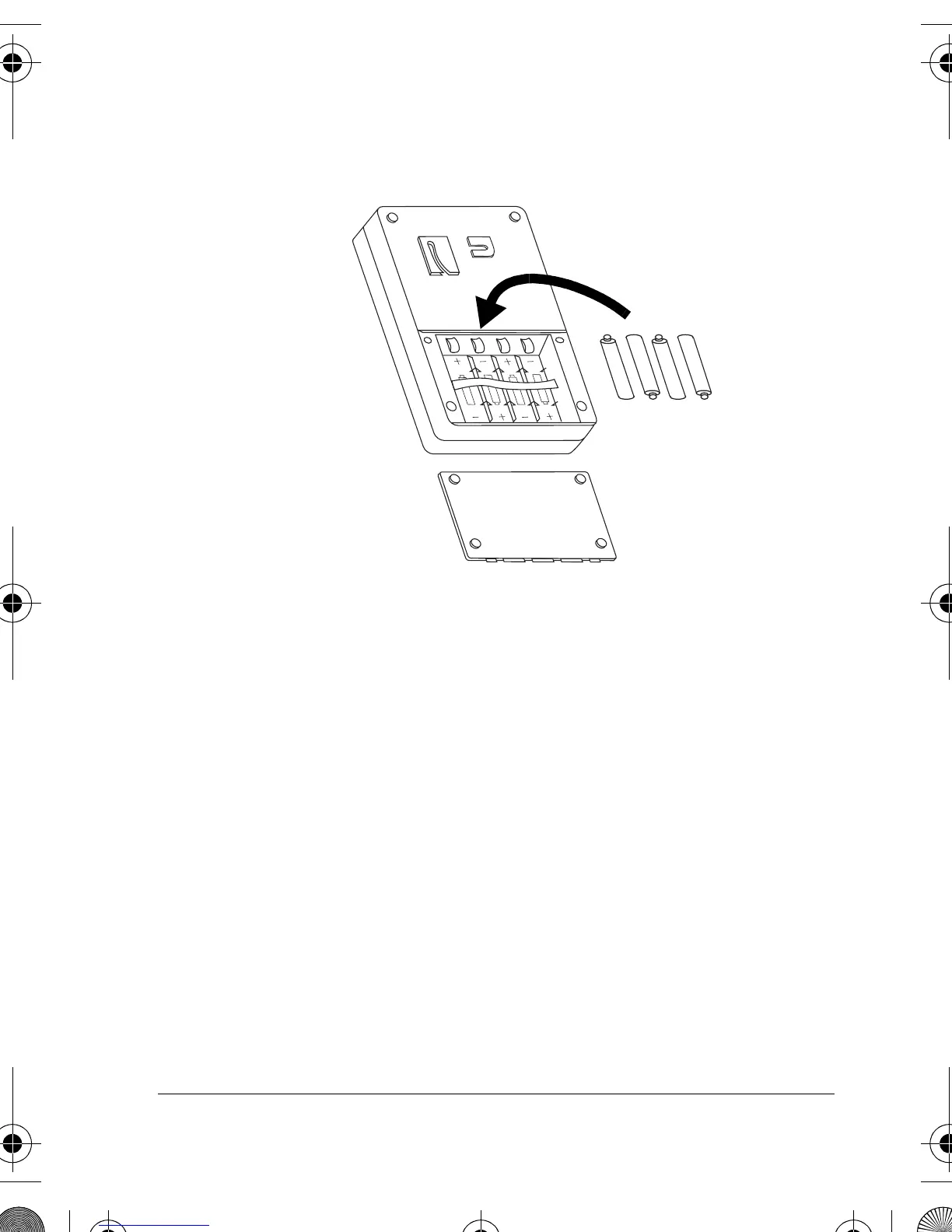
2. Place the batteries in the compartment and on
top of the attached ribbon, as indicated by the
polarity symbols (+ and –) marked inside.
Note:
As soon as you press the last battery in
place, the alarm sounds a loud chirp and both the
red and the green indicators light briefly.
3. Replace the cover, then reinsert and tighten the
screws.
Notes:
• The alarm is disarmed after batteries are
installed.
• Replacing the main unit’s batteries automatically
resets the security code to 1234. Any time you
49-329.fm Page 7 Thursday, June 1, 2000 7:46 AM



 To Next Page