PG 8
Auto-Run Program
The CT101 comes pre-programmed with an EPA approved program. This program is recommended
by the EPA for energy efciency. We strongly recommend that you Auto-Run this program for one
week, and see if it works for you. If it does not t your needs you can always input a custom program.
To run the EPA program, set the mode switch to HEAT or COOL.
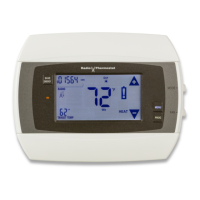
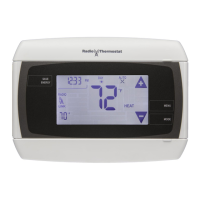
Press the MENU button and use the arrows by the time display to set the time.
Touch the DAY area and advance it to select the present day.
Touch HOME. The unit is now running the program.t
All Days 70
o
F 62
o
F 70
o
6
2
o
F
MORN
6:00am
HEAT
DAY
8:00am
EVEN
6:00pm
NITE
10:00pm
All Days 78
o
F 85
o
F 78
o
F 82
o
F
MORN
6:00am
COOL
DAY
8:00am
EVEN
6:00pm
NITE
10:00pm
EPA
TO CHANGE THE PROGRAM:
Make sure the CT101 mode is set to either HEAT or COOL, then press the PROGRAM button. This
puts you at the PROGRAM screen [see page 4]. The programmed start time is displayed in the
upper left. The TIME SLOT icon indicates the active TIME SLOT in the default program [MORN, DAY,
EVEN, NITE]. The programmed Target Temperature is shown on main display.
The HEAT program and the COOL program are separate.


 To Next Page
 Loading...