EasyManua.ls Logo

RADIOMETER TCM3 - Page 23

RADIOMETER TCM3
145 pages
Print Icon
To Next Page IconTo Next Page
To Previous Page IconTo Previous Page
Loading...
TCM3
and
TCM30
Service
Manual
2.
TCM3
Checkout
and
Adjustment,
Continued
In-vivo
cal.
ImmHs
-
kPa
Step
0:04
Power
Supply
Step
0:05
Step
0:06
Step
0:07
199808-1
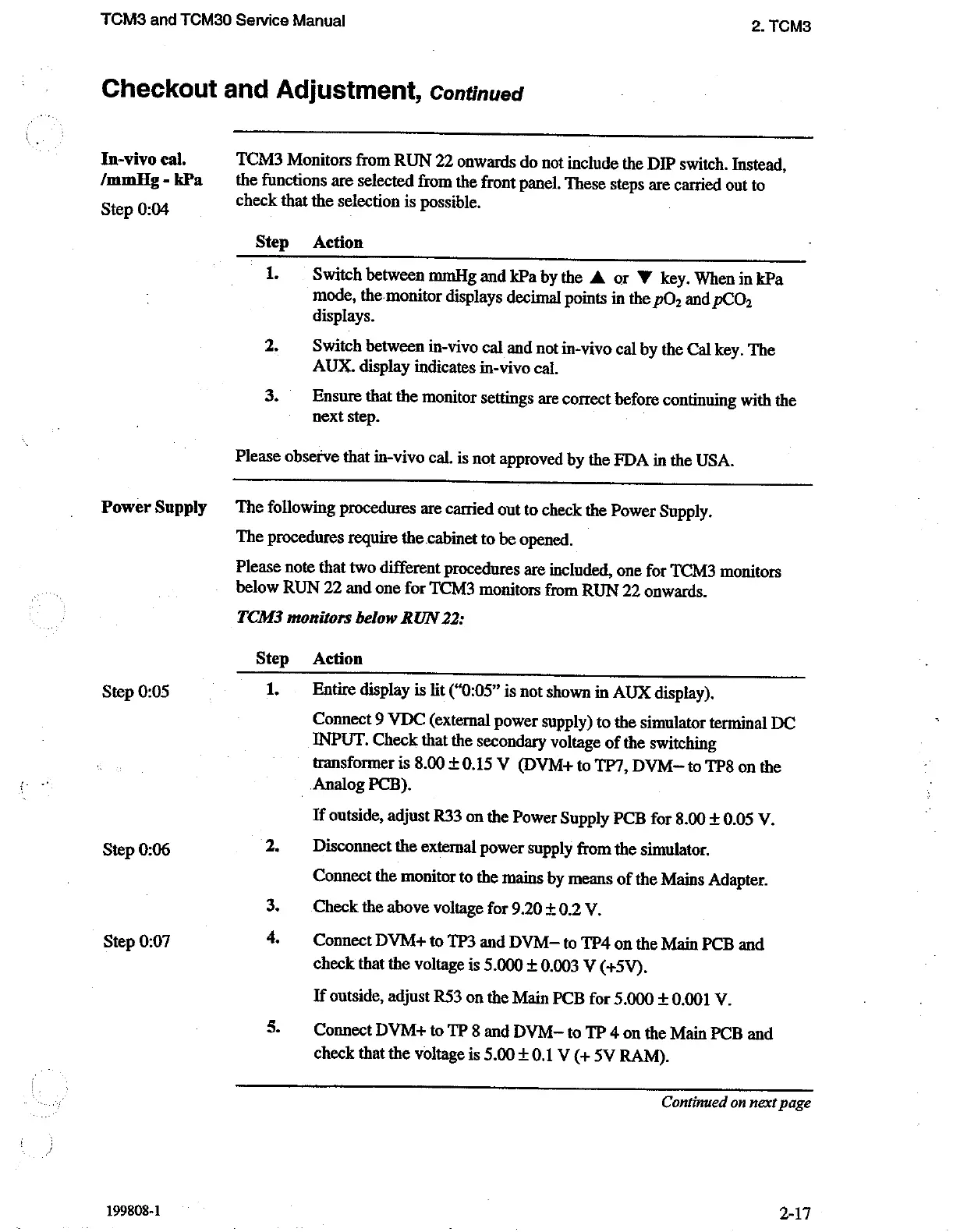
TCM3
Monitors
from
RUN
22
onwards
do
not
include
the
DIP
switch.
Instead,
the
functions
are
selected
from
the
front
panel.
These
steps
are
carried
out
to
check
that
the
selection
is
possible.
Step
Action
1
Switch
between
mmHg
and
kPa
by
the
A
or
W
key.
When
in
kPa
mode,
the-monitor
displays
decimal
points
in
the
pO,
and
pCO,
displays.
2.
Switch
between
in-vivo
cal
and
not
in-vivo
cal
by
the
Cal
key.
The
AUX.
display
indicates
in-vivo
cal.
3.
Ensure
that
the
monitor
settings
are
correct
before
continuing
with
the
next
step.
Please
observe
that
in-vivo
cal.
is
not
approved
by
the
FDA
in
the
USA.
The
following
procedures
are
carried
out
to
check
the
Power
Supply.
The
procedures
require
the
cabinet
to
be
opened.
Please
note
that
two
different
procedures
are
included,
one
for
TCM3
monitors
below
RUN
22
and
one
for
TCM3
monitors
from
RUN
22
onwards.
TCM3
monitors
below
RUN
22:
Step
Action
1.
Entire
display
is
lit
(“0:05"
is
not
shown
in
AUX
display).
Connect
9
VDC
(external
power
supply)
to
the
simulator
terminal
DC
INPUT.
Check
that
the
secondary
voltage
of
the
switching
transformer
is
8.00
+
0.15
V
(DVM
to
TP7,
DVM-
to
TP8
on
the
Analog
PCB).
If
outside,
adjust
R33
on
the
Power
Supply
PCB
for
8.00
+
0.05
V.
2.
Disconnect
the
external
power
supply
from
the
simulator.
Connect
the
monitor
to
the
mains
by
means
of
the
Mains
Adapter.
3.
Check
the
above
voltage
for
9.20
+
0.2
У.
4.
Connect
DVM+
to
TP3
and
DVM-
to
TP4
on
the
Main
PCB
and
check
that
the
voltage
is
5.000
+
0.003
V
(+5V).
If
outside,
adjust
R53
on
the
Main
PCB
for
5.000
+
0.001
V.
5.
Connect
DVM+
to
TP
8
and
DVM-
to
TP
4
on
the
Main
PCB
and
check
that
the
voltage
is
5.00
+
0.1
V
(+
5V
RAM).
Continued
on
next
page
2-17

Related product manuals