EasyManua.ls Logo

RADIOMETER TCM3 - Page 22

RADIOMETER TCM3
145 pages
Print Icon
To Next Page IconTo Next Page
To Previous Page IconTo Previous Page
Loading...
2.
TCM3
TCM3
and
TCM30
Service
Manual
Checkout
and
Adjustment,
Continued
Display
PCB
Step 0:02
Step
0:03
DIP
Switch
Step
0:04
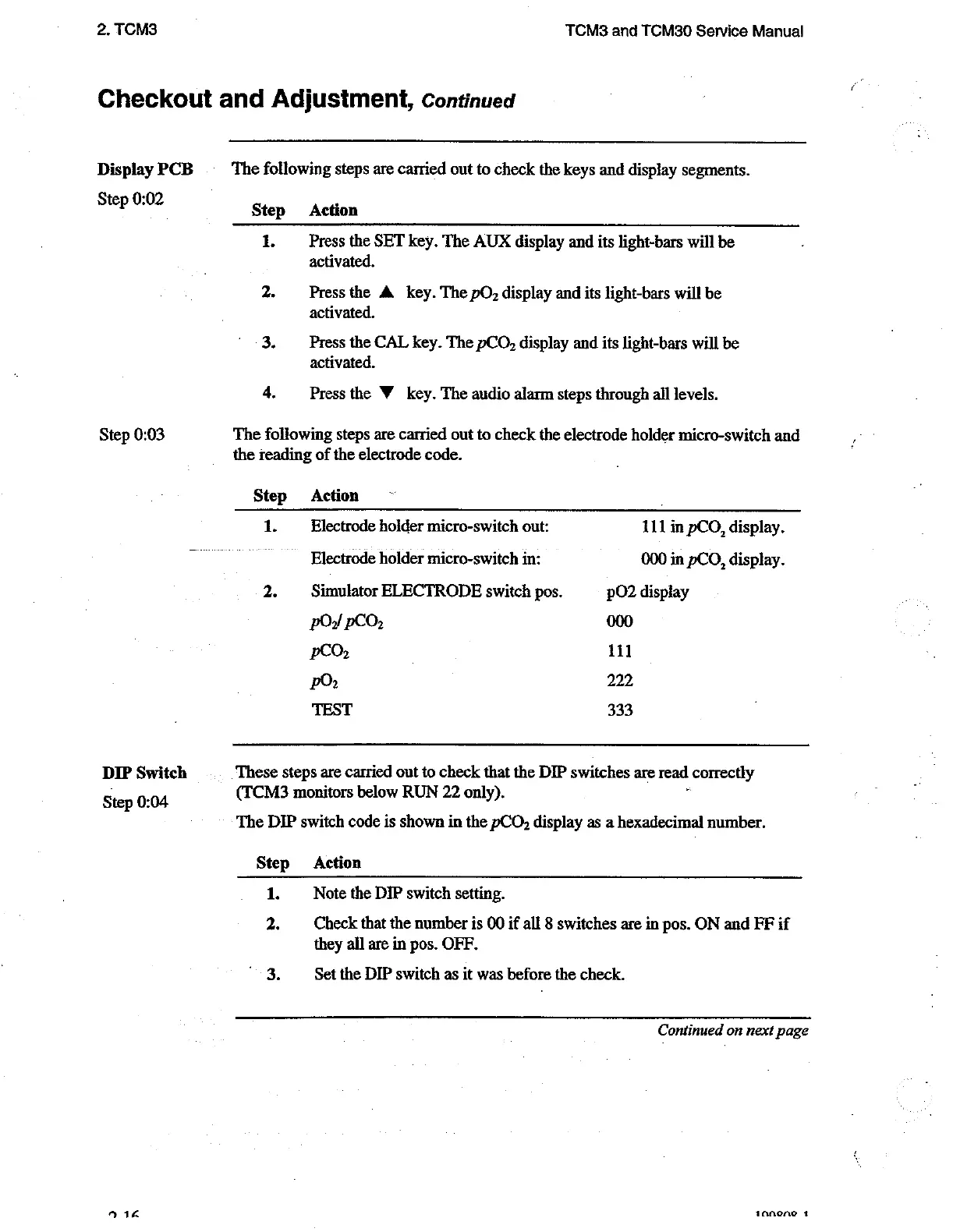
The
following
steps
are
carried
out
to
check
the
keys
and
display
segments.
Step
Action
1.
Press
the
SET
key.
The
AUX
display
and
its
light-bars
will
be
activated.
2.
Press
the
A
key.
The
pO,
display
and
its
light-bars
will
be
activated,
3.
Press
the
CAL
key.
The
pCO,
display
and
its
light-bars
will
be
activated.
4.
Press
the
W
key.
The
audio
alarm
steps
through
all
levels.
The
following
steps
are
carried
out
to
check
the
electrode
holder
micro-switch
and
the
reading
of
the
electrode
code.
Step
Action
|
1.
Electrode
hoider
micro-switch
out:
111
in
pCO,
display.
Electrode
holder
micro-switch
in:
000
in
pCO,
display.
2.
Simulator
ELECTRODE
switch
pos.
pO2
display
pO,
pCO,
000
peo:
111
РО
222
TEST
333
These
steps
are
carried
out
to
check
that
the
DIP
switches
are
read
|
correctly
(TCM3
monitors
below
RUN
22
only).
The
DIP
switch
code
is
shown
in
the
pCO,
display
as
a
hexadecimal
number.
Step
Action
1.
Note
the
DIP
switch
setting.
2.
Check
that
the
number
is
00
if
all
8
switches
are
in
pos.
ON
and
FF
if
they
all
are
in
pos.
OFF.
Set
the
DIP
switch
as
it
was
before
the
check.
Continued
on
next
page
aanene
1

Related product manuals