-
/usr/bin/ruby -e "$(curl -fsSL https://raw.githubusercontent.com/Homebrew/
install/master/install)"
2. Install libusb
•
Once you have home-brew installed successfully on your Mac, you can install
libusb with a single instruction.
•
Copy and paste below:
-
brew install libusb
3. ES100 DFU Prepare
•
Download and unzip on local hard drive the latest update archive for
EarStudio.
-
Package
ES100_Firmware.bin (firmware)
ES100_DeviceFirmwareUpgrade (macOS tool)
run_macOS.sh (macOS tool)
ES100_DeviceFirmwareUpgrade_win32.exe (windows tool)
ES100_DeviceFirmwareUpgrade_win64.exe (windows tool)
run_win32.bat (windows tool)
run_win64.bat (windows tool)
4. Entering DFU mode
•
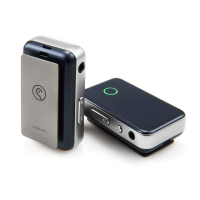
While press-and-holding the Power Button, connect EarStudio to PC through
the USB data cable.
-
LED will be off, if entered DFU mode successfully.
5. Run shell script file
•
Open terminal and go to the unzipped ES100 DFU folder.
-
cd [Folder path]
-
ex) cd Downloads/v1.x.x
•
Execute “./run_macOS.sh”
-
Press "Enter" key and “Found device” should be displayed.
-
Enter "y"


 To Next Page
 Loading...