PROGRAMMING & CALIBRATION
3-2
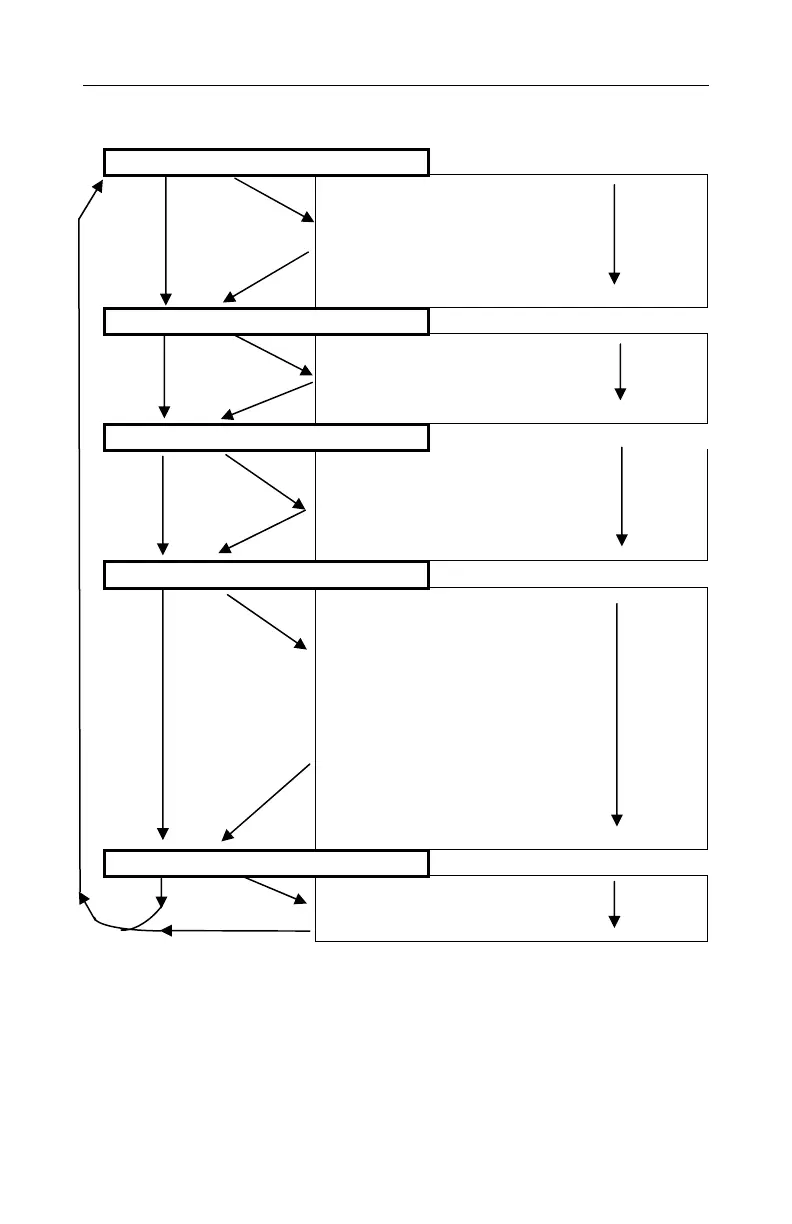
Table 5. Programming Menus
Calibrate Monitor?
(Press [Y/+] to select menu)
Fresh Air Calibration?
Multiple Sensor Calibration?
Single Sensor Calibration?
Modify Span Gas Value?
Change LEL Span Gas?
OXY Calibration Type?
Change Alarm Limits?
Change High Alarm limit?
Change Low Alarm limit?
Change STEL alarm limit?
Change Average alarm limit?
Change Datalog?
Clear All Data?
Change Datalog Period?
Select Data Type?
Enable/Disable Datalog?
Select Memory Full Type?
Change Monitor Setup?
Change Site ID?
Change User ID?
Change Alarm Mode?
Change User Mode?
Change Real Time Clock?
Change Backlight Mode?
Change Password?
Change Pump Speed?
Change Averaging Method?
Change Display Language?
Set Temperature Unit?
Enable/Disable Vibrator?
Change Sensor Configuration?
Change LEL /VOL Sensor Type?
Enable / Disable Sensor?
Change LEL Gas Selection?
Press [Y/+] to enter any submenu. Press [N/-] skip to the next
menu or [MODE] to move up one level. To edit values or
select sensors, a flashing digit should appear that can be
increased or decreased using the [Y/+] or [N/-] key. Then
MODE
N
Y
Y
MODE
MODE
MODE
Y
N
Y
MODE
N
N
N
N
N
N
N



 To Next Page