2
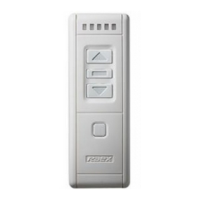
Group buttons function:
1. Group buttons will transmit function signals under the selected
channel.
2. “[Stop] + [up]” means press [stop] key and do not release, then
press [up] key one time”.
3. [Channel setting] + [stop]——transmit “exchange direction”
signal.
4. [Channel setting] + [up]——transmit “speed up / slow-open”
signal.
5. [Channel setting] + [down]——transmit “slow down /
slow-open” signal.
6. [Stop] + [up]——transmit “startup IP1” signal.
7. [Stop] + [down]——transmit “startup IP2” signal.
Attention:
1. Transmitter will return to the first channel automatically when
without any operation within 25 seconds. This function will help
consumer default the first channel every time.
2. YR1226 radio transmitter can compatible with different radio
receivers. Different receivers will have different setting and use
methods. The operation will base on the receiver’s manual.
3. Group buttons only fit for the receivers which has corresponding
functions. Details please see receiver’s manual.
Setting methods
Before use, users must be set remote channel and sure that the
transmit signals were recorded in the receiver. As soon as the
controller receives remote signal, it will work.


 To Next Page