www.rainforestautomation.com
EMU™
User Manual
Step 5: Configure your device
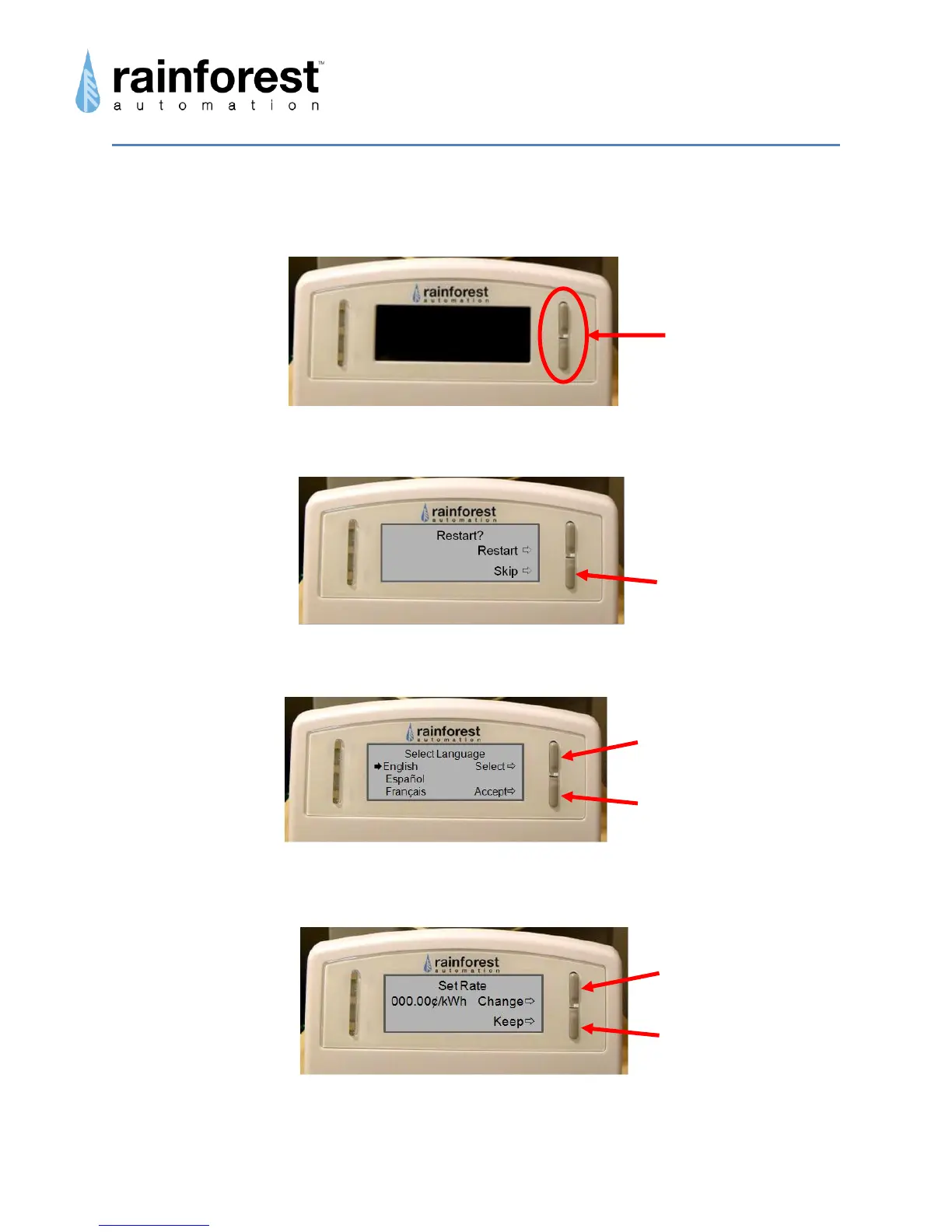
a. Press both of the buttons on your EMU™ simultaneously and release.
b. Press the Bottom Button.
c. Select the language you would like your EMU™ to use.
d. If your meter does not provide pricing (ask your utility), you will need to set
your energy price.
The digit to be modified will be flashing, starting on the right, and working left.
Top Button scrolls through
language choices
Bottom Button saves
language selection
Top Button increments
digit value
Bottom Button saves
digit value



 To Next Page