8 |
4. Pull back the black boot and securely attach the
negative (-) battery cable (black boot) to the negative (-)
battery post. Replace the black boot so it protects the
cable lug and battery post.
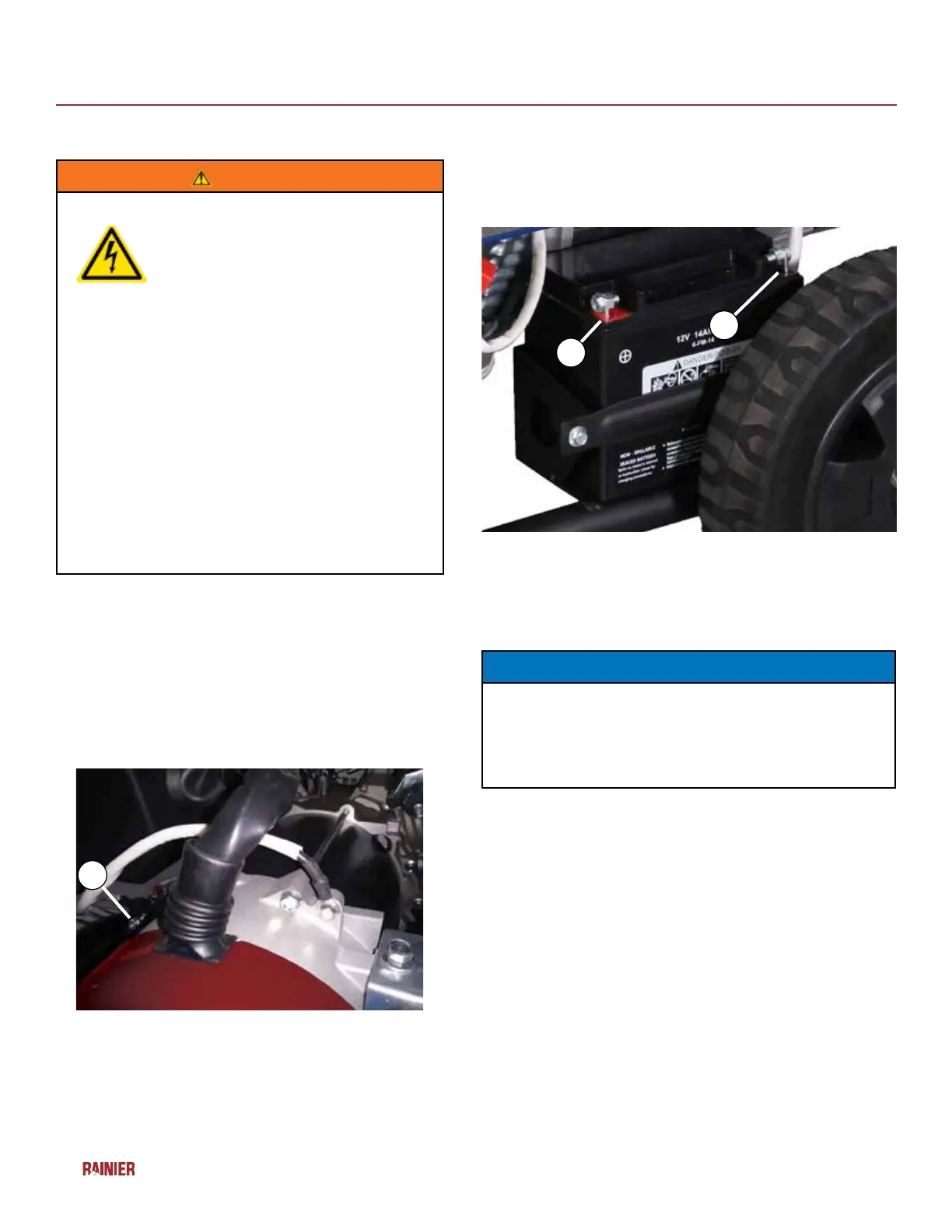
1 - Positive (+) Battery Cable (Red)
2- Negative (-) Battery Cable (Black)
NOTICE
The electric start generator is equipped with a battery
charging feature. Once the engine is running, a small
charge is supplied to the battery via the battery cables
and will slowly recharge the battery.
INSTALLING THE BATTERY
WARNING
To avoid electric shock:
• ALWAYS connect the positive (+)
battery cable (red boot) rst when
connecting battery cables.
• ALWAYS disconnect the negative (-)
battery cable (black boot) rst when
disconnecting battery cables.
• NEVER connect the negative (-)
battery cable (black boot) to the
positive (+) post on the battery.
• NEVER connect the positive (+)
battery cable (red boot) to the
negative (-) post on the battery.
• NEVER touch both battery posts
simultaneously.
• NEVER place a metal tool across
both battery posts.
• ALWAYS use insulated or
nonconducting tools when installing
the battery.
1. Secure the positive (+) battery cable (red boot)
tightly to the positive (+) battery post. Make sure
boot is over battery post.
2. Locate negative (-) cable attached to alternator
cable, remove tie and route to the negative (-)
battery post. See below for location of negative (-)
cable.
(1) Negative Cable
Attaching the Negative (-) Battery Wire (black)
1
1
2
ASSEMBLY


 To Next Page