Application Guide What do you want to do?
Function Mode Icon Comment Level I Level II
Basic Pipetting BASIC
3
Dispense multiple
aliquots
MULTI-
DISP
3
Pipette and Mix ADVANCED OPTIONS
> MIX
3
Program a sequence of
different pipetting steps
ADVANCED OPTIONS
> VOL. SEQ.
3
Pipettingxedvolumes ADVANCED OPTIONS
> FIXED VOL
3
Full Manual control MANUAL
3
Reverse Mode Pipetting REVERSE
3
Change Instrument
Settings
SETUP See Settings
below
3
Dilute samples in the
pipette tip
DILUTE
3
Titrate via measured
ne-controldispensing
TITRATE
3
Check Service Status SERVICE Service re-
cords (locked)
3
Move from Level I to
Level II
LEVEL II
3
Move from Level II to
Level I
LEVEL I
3
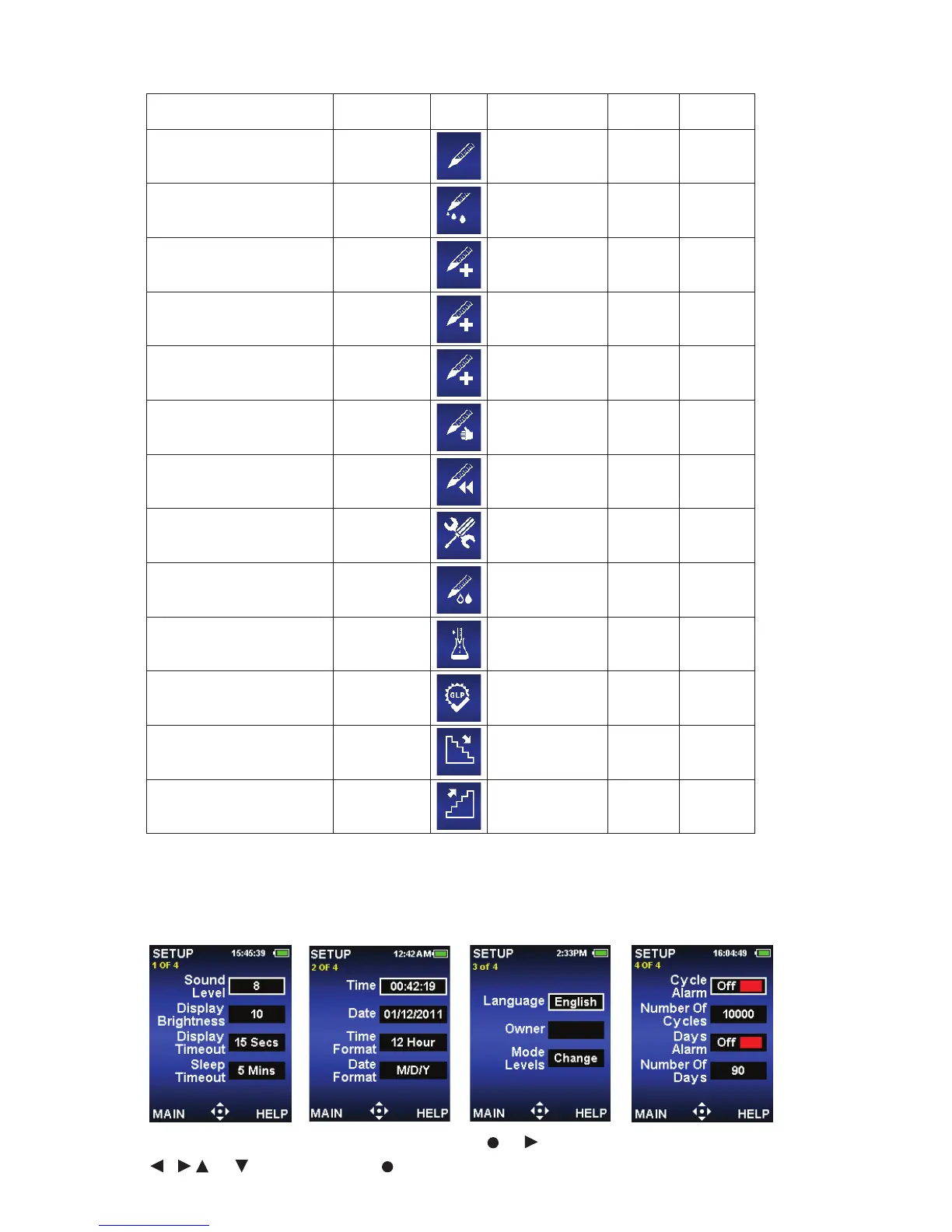
Instrument Settings – SETUP Mode
Use UP/DOWN arrow to scroll through options, or to select,
, or to change value, or DONE to save.



 To Next Page