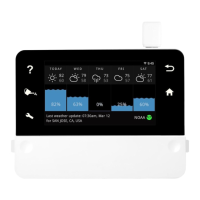
Need help?
Do you have a question about the Rainmachine Pro-16 and is the answer not in the manual?
Secure the RainMachine unit to the wall at eye level using provided screws.
Connect valve wires to the appropriate terminals, using 'C' terminals for common connections.
Connect power leads to the '24VAC' terminals and plug the transformer into an outlet.
Explains the Wi-Fi icon status, indicating network connection or setup issues.
Explains how to use navigation buttons (Back, Up/Down) and action buttons (Water Can, Touch screen) on the device.
Step-by-step guide to setting up an automatic watering program on the RainMachine.
Details on setting watering durations using suggested or custom values, adjusted by weather.
Explains advanced settings like Rain Restriction, Cycle and Soak, and Delay between zones for programs.
How to manually start or stop watering zones using the app or device controls.
Settings for Master Valve, Live Weather, and Seasonal Adjustments for individual zones.
Explains how soil type, slope, vegetation, and sprinkler head type influence watering calculations.
How to view past/future weather and water consumption statistics via the app dashboard.
Using Weather, Programs, and time-based charts (Week/Month/Year) to analyze data.
Details on fetching weather data from various sources like NOAA, MET.NO, and personal weather stations.
Setting rules for programs, like time spans to avoid watering, and a temporary 'Snooze' function.
Settings to adjust watering based on temperature thresholds and hot weather conditions.
How to connect and utilize rain/flow sensors to override scheduled watering.
Adjusting responsiveness to rain and wind forecast to optimize watering efficiency.
Definition of Field Capacity and its relation to soil type for watering calculations.
Procedures to reset Wi-Fi, password, or factory default settings on the RainMachine.
Steps to configure or resend confirmation for remote access via the mobile app.
Tips for improving Wi-Fi signal strength, including boosters or relocating router/device.
Details on controller features, dimensions, and weight.
Information on electrical input/output, Wi-Fi, operating temperature, and humidity.
Compliance certifications (FCC, CE) and standard warranty period.
 General
| Brand | Rainmachine |
|---|---|
| Model | Pro-16 |
| Category | Controller |
| Language | English |

 To Next Page