Need help?
Do you have a question about the Rainmachine Touch HD-12 and is the answer not in the manual?
Instructions for securely mounting the RainMachine unit to a wall.
Details on connecting valve wires and the main power supply.
Steps for connecting the power adapter and initiating system startup.
Advice on network connection, location accuracy, and email verification for setup.
Details how the system adjusts watering based on real-time weather data.
How watering duration is adjusted daily based on weather forecasts.
Setting rules to prevent watering activity when rain exceeds a certain amount.
Feature to split watering into multiple cycles for better soil absorption.
Setting time delays between consecutive zone watering for system compatibility.
Enabling weather-based adjustments for zone watering based on live or seasonal data.
Configuring zone properties based on soil, slope, and sun exposure factors.
Explanation of soil moisture capacity and its determination from soil type.
How vegetation type influences watering calculations and water consumption.
How sprinkler head type affects watering duration and irrigation coverage.
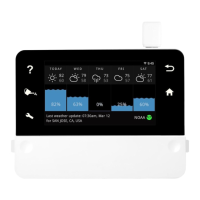
Displays daily weather status, including temperature and rain amount.
Shows watering output for each program, including recorded and forecasted data.
Changing the timespan and customizing displayed graphs on the dashboard.
Temporary restriction to skip watering programs for a specified number of days.
Stops watering activity when forecasted temperature drops below a set threshold.
Sets maximum watering based on percentage, allowing more water during hot periods.
Instructions for resetting Wi-Fi settings or forgotten passwords.
Solutions for problems connecting to the RainMachine remotely from outside the home.
Advice on improving Wi-Fi signal for reliable system connectivity.
Lists key features such as zone count, weather awareness, and mobile app support.
Specifies operating temperature ranges and humidity limits for the device.
Provides physical dimensions and weight specifications for the device.
Details electrical requirements, input voltage, and valve output specifications.
Lists regulatory certifications obtained by the product, such as FCC and CE.
States the standard warranty period and terms provided for the product.
 General
| Model | Touch HD-12 |
|---|---|
| Type | Smart Irrigation Controller |
| Zones | 12 |
| Weather Integration | Yes |
| Weather Intelligence | Yes |
| Power Supply | 24VAC |
| Connectivity | Wi-Fi |
| Display | Touchscreen |
| Mobile App | iOS, Android |
| Watering Adjustments | Automatic based on weather data |

 To Next Page