N-Series 3D Printer
/ Quick Start Guide
E Using ideaMaker
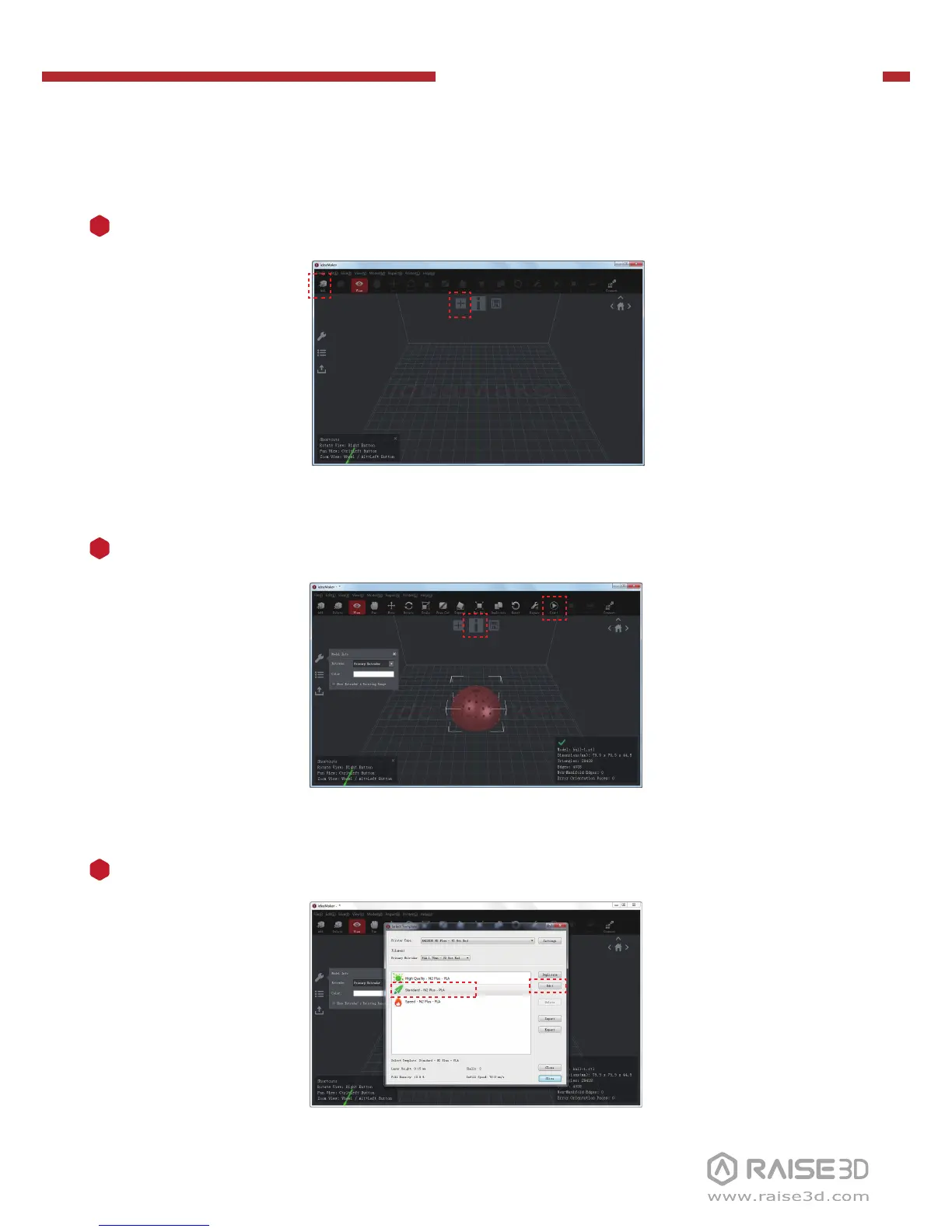
Click the "+" button to import an .stl file or .obj file. You can download a file or use
the test model included in the USB storage.
1
Click the "Start" or “i” button to begin the slicing of the model.
2
Confirm your printer model and material, then select the proper slicing template.
Click “Edit” to select the type of Platform Addition and the type of Support.
3



 To Next Page