N-Series 3D Printer
/ Quick Start Guide
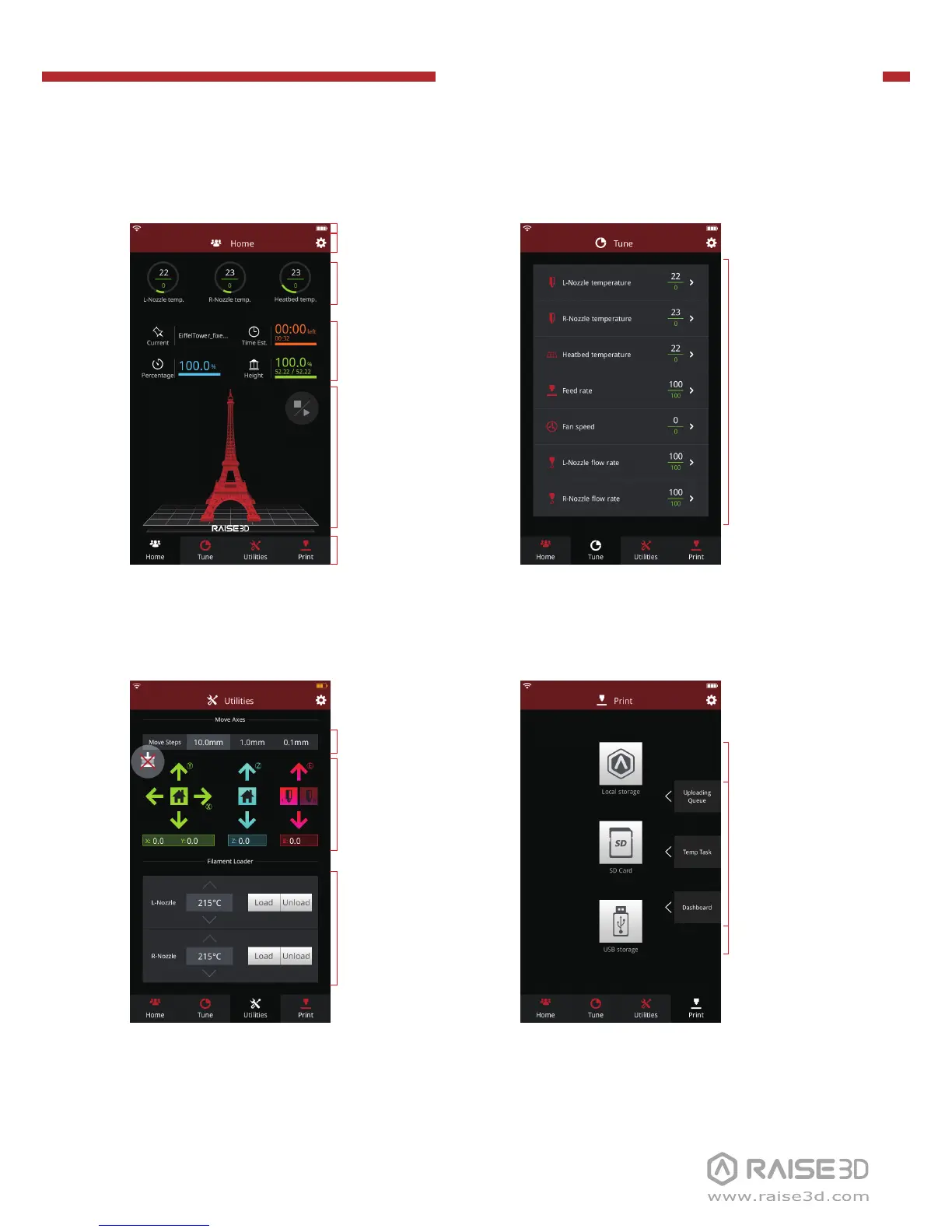
G User Interface
· Status bar*
· Menu title, Settings Button
· Taskbar
· Current model name,
total print time, current
printing status and height
· Visual display of current
model
· Pause/Resume button
· Stop button
Home Tune
· Printing parameters
and adjustment
· Extruder and Heat
Bed temperature
· X/Y/Z axes move/return
to original position
· Load and Unload
function for the L&R
extruders.
· Check uploading list,
recovery task list,
printing statistics
· Moving step distance
setting
Utilities Print
· Choose where to load
the print job from
· Disable motor button
* Please make sure the battery icon on the status bar is fully charged (or the battery level is more than
95%). Only in this condition can you turn off the power switch.



 To Next Page