WWW.RAISE3D.COM
AMERICA · ASIA · EUROPE
Filament Run-out Sensor Installation Guide
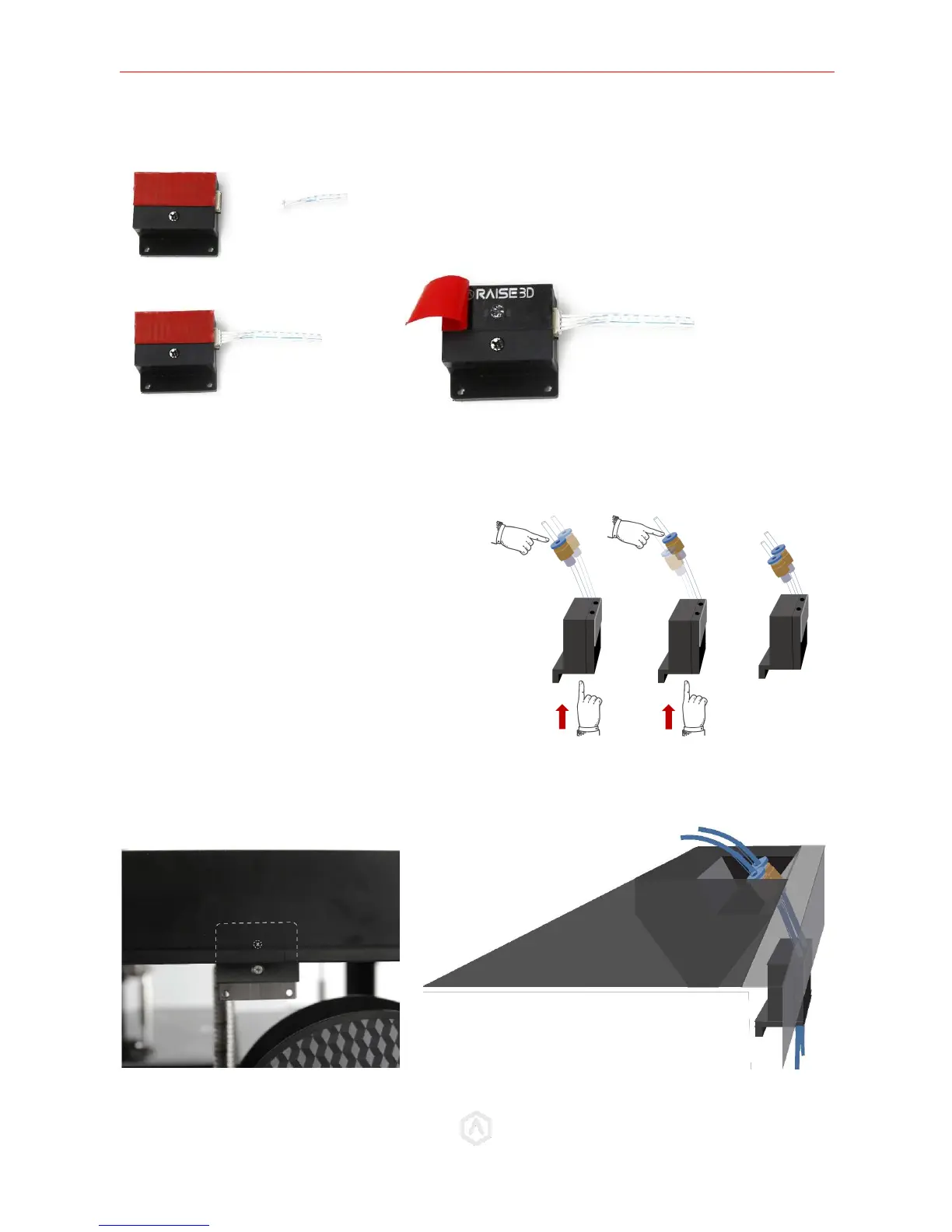
STEP 4: Assemble the Filament Run-Out Sensor
STEP 5: Install the Filament Run-Out Sensor
Adjust the height of the sensor until the top screw is hidden by the body of the printer, and the top of
the bottom screw lies flush along the panel.
Connect the white Filament Run-Out Sensor cable (B) to the
Filament Run-Out Sensor (A). Remove the tape covering.
Attach the assembled Filament Run-Out Sensor
to the Bowden tubes underneath the couplings.
Press and hold the blue button on the couplings
to adjust the underside length of the tubes.


 To Next Page