N-Series 3D Printer
/ Quick Start Guide
E Using ideaMaker (continued)
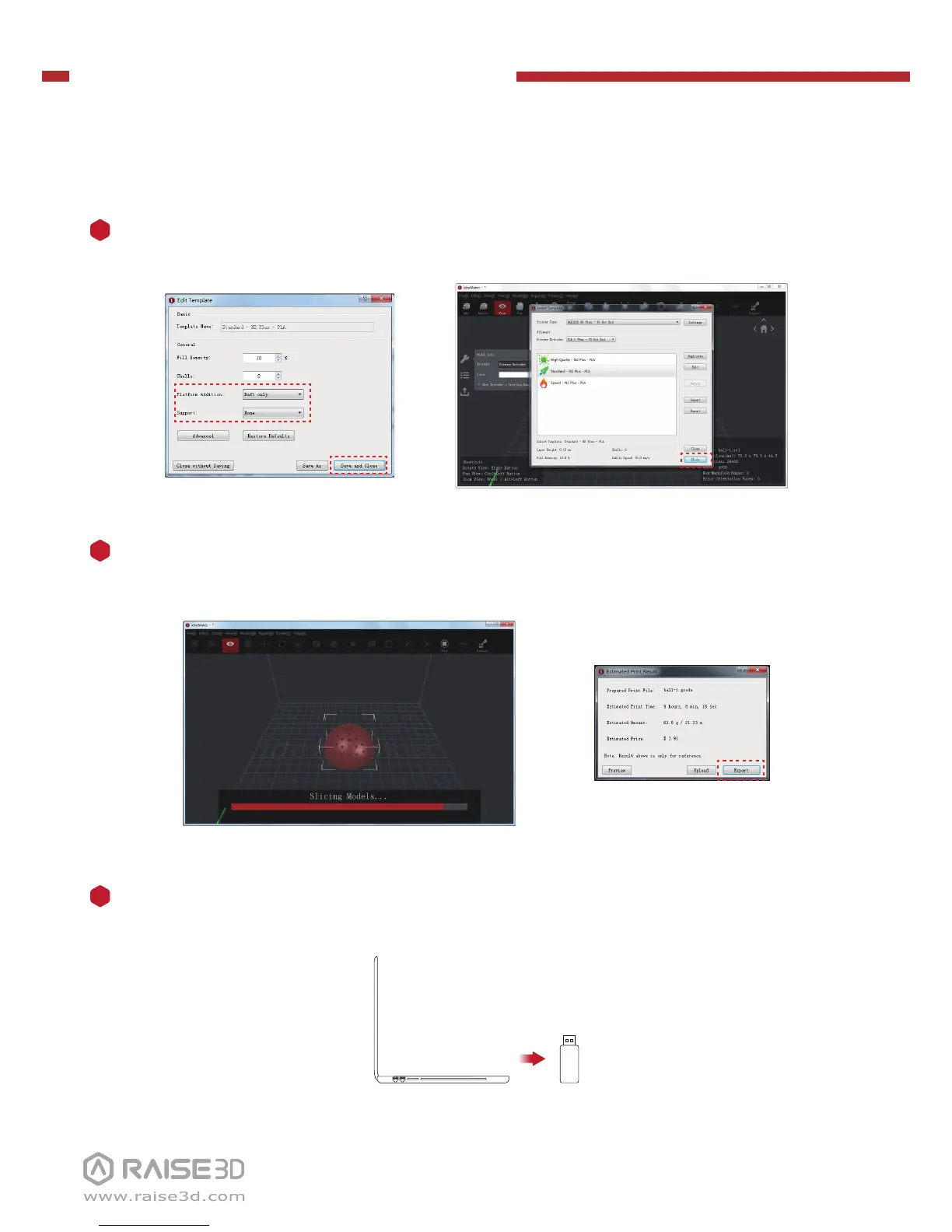
Click the “Save and Close” after selecting the type of Platform and the type of
Support to return to the last menu. Click the “Slice” to start slicing.
4
Save the sliced files (.gcode and .data) to USB storage.
NOTE: File names that do not conform to the Western Latin character set may not
display properly.
5
Confirm that the files are saved and eject the USB storage.
6


 To Next Page