EasyManua.ls Logo

Rajant Corporation BreadCrumb LX3 - User Manual

Rajant Corporation BreadCrumb LX3
37 pages
Print Icon
To Next Page IconTo Next Page
Loading...
BreadCrumb
®
LX / LX3
USER GUIDE
Version: 2.91
Date: April 16, 2010
Corporate Headquarters
Rajant Corporation
400 East King Street
Malvern, PA 19355
Tel: (484) 595-0233
Fax: (484) 595-0244
http://www.rajant.com
Document Part Number: 03-100101-001

Questions and Answers

  • C
    Colleen EnglishAug 1, 2025
    What to do if a wireless client cannot join Rajant Corporation BreadCrumb LX3 network?
    • M
      mikenguyenAug 1, 2025
      If a wireless client can't join the Rajant Corporation Network Hardware network, here are some things to check: * Make sure the BreadCrumb devices are powered on. * Confirm the wireless card in the client device is enabled (look for a blinking light). * Verify the wireless card is in "Infrastructure" or "Access Point" mode, not "Ad Hoc" mode. Scan for the network's ESSID (default is "breadcrumb54" or "breadcrumb54-v10"). * Check that the wireless client’s IP address settings are configured correctly. * Ensure the security settings on the client device and BreadCrumb devices match. * Confirm the client device isn't blocked by an Access Control List (ACL). * If AirFortress encryption is enabled on the BreadCrumb devices, make sure it's also enabled on the client.
  • R
    rholderAug 17, 2025
    How to fix sporadic connectivity due to BreadCrumb battery on Rajant Corporation BreadCrumb LX3 Network Hardware?
    • X
      xfrederickAug 17, 2025
      If a Rajant Corporation Network Hardware BreadCrumb device shows sporadic network connectivity, it may be due to low battery. Monitor the battery usage and charge or replace batteries as necessary.

Summary

FCC and IC Statements

Copyright Statement

Preface

Purpose and Scope

Defines the manual's purpose and scope, covering guidance for personnel involved with Rajant's BreadCrumb LX/LX3 product.

User Information

Encourages users to submit comments and recommended changes for manual improvement, requesting version number and page numbers.

Related Documentation

Lists other Rajant documents for additional BreadCrumb LX/LX3 information, including user guides for BC|Commander and BCAdmin.

5 Troubleshooting

5.1 Sporadic Network Connectivity

Addresses issues causing sporadic network connectivity, such as battery exhaustion and environmental factors.

5.2 BreadCrumb Device Cannot Connect to BCWN

Covers problems preventing BreadCrumb devices from connecting to the BCWN, including battery and antenna issues.

1 Introduction

1.1 What is a BreadCrumb?

Defines a BreadCrumb as an IEEE 802.11 and Ethernet compatible networking device for forming a BreadCrumb network.

1.2 Mobility through Meshing

Explains meshing as the key component to a BCWN, detailing how BreadCrumbs establish and maintain a mesh network.

1.3 Description of BreadCrumb LX;LX3

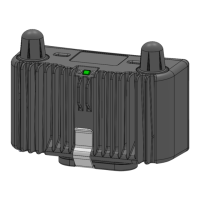
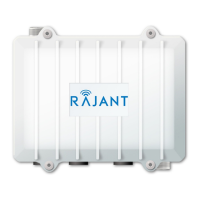
Details the LX/LX3 models, including their radios (900 MHz, 2.4 GHz, 4.9 GHz, 5 GHz), enclosure, and connectors.

2 Using BC|Commander or BCAdmin

3 Deploying the BreadCrumb Wireless Network

3.1 Addressing

Describes the addressing scheme for the BCWN, requiring IPv4 addresses in the Class A network 10.0.0.0/8.

3.2 Channel Assignments

Discusses channel assignments for BreadCrumb devices, including default channels and automatic selection for robust mesh.

3.3 Physical Placement and other Considerations

Details environmental factors impacting BCWN performance like LOS, distance, weather, and interference.

3.4 Deployment Guidelines and Methodology

Provides on-site deployment guidelines and methodology for successful BCWN setup, including placement and distance.

4 BreadCrumb LX;LX3 USB Firmware Upgrade

Appendix A: Error and Warning Codes

Appendix B: Using Pole Mount Bracket

Rajant Corporation BreadCrumb LX3 Specifications

General IconGeneral
ModelBreadCrumb LX3
TypeWireless Mesh Node
Frequency Bands2.4 GHz, 5 GHz
Data RateUp to 300 Mbps
Operating Temperature-40°C to +70°C
Radio Technology802.11a/b/g/n
SecurityWPA2, AES
Power SupplyPoE
Power Input12-48 VDC

Related product manuals