Documentation Center
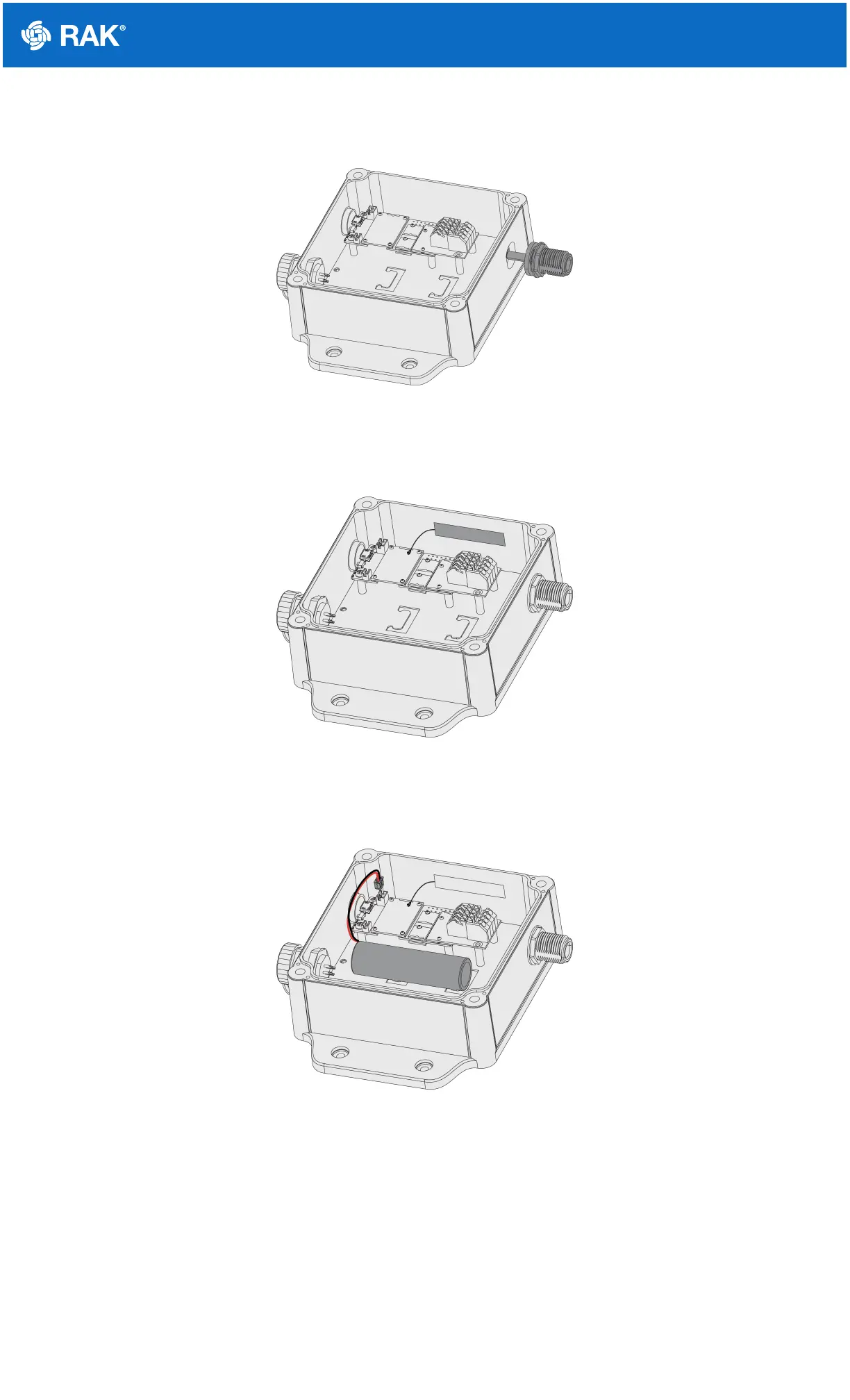
Step 3: If N-type antenna are required, remove the plugs and replace it with the N-type antenna connector and fix
it in place. The other end of the cable is plugged to the IPEX connector of the WisBlock.
Figure 4: Attaching Antenna
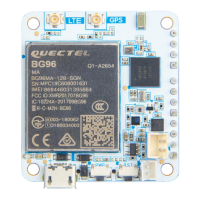
Step 4: If the built-in antenna is used, please stick the built-in antenna on the inner wall of the enclosure, as shown
in the figure below.
Figure 5: Attaching Built In Antenna
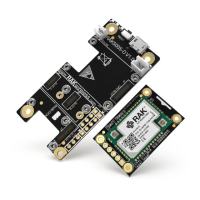
Step 5: Fix the battery on the plate with cable tie or double-sided adhesive sticker, and insert the battery plug into
the socket of PCB.
Figure 6: Battery
Step 6: Fix the cover with screws and fasten four decorative covers to the head of the screws to complete the
installation.



 To Next Page