EasyManua.ls Logo

Raleigh TranzX - Battery Management and Operation; Inserting the Battery Guide; BL21 Switch Button Functionality

Raleigh TranzX
5 pages
Print Icon
To Next Page IconTo Next Page
To Previous Page IconTo Previous Page
Loading...
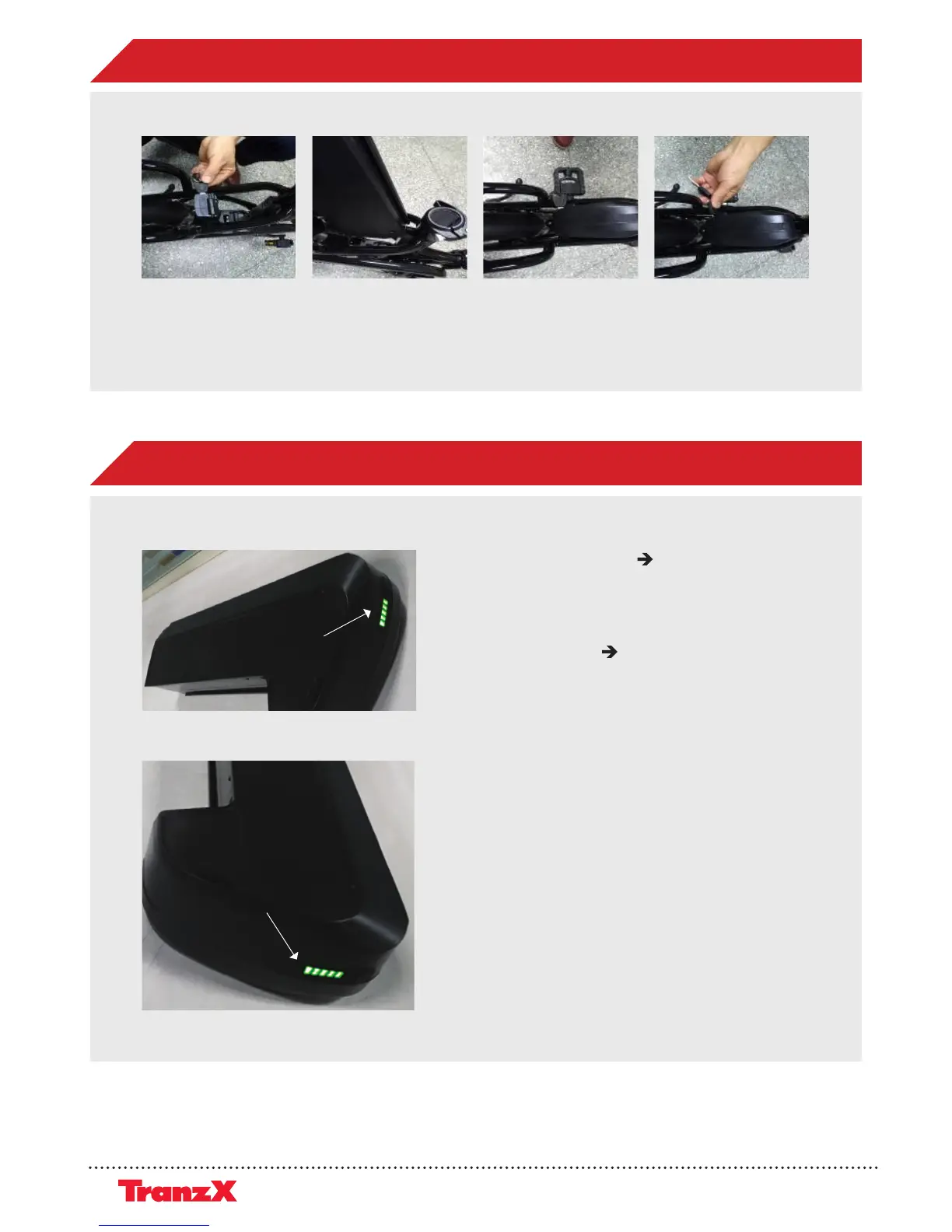
- Short press the button battery power on
(LED light turns o after 5 sec, but battery
output is still standby)
- Long press the button for 3 sec. (at LED light
turn on condition) battery power o
- When switched on the power will continue
12hours (output standby status)
- After 12 hours without output, the battery
power will totally turns o (No matter the
battery is on or out of the bike)
InsertingtheBattery
2.Slidethebatteryalong
thebatteryrack
1.Insertthekeyand
switchittounlocked
3.Makesurethatthe
batteryslidetothe
bottomandfitinthe
controller
4.S
witchthekeyto
lockthebattery
InsertingtheBattery
2.Slidethebatteryalong
thebatteryrack
1.Insertthekeyand
switchittounlocked
3.Makesurethatthe
batteryslidetothe
bottomandfitinthe
controller
4.S
witchthekeyto
lockthebattery
InsertingtheBattery
2.Slidethebatteryalong
thebatteryrack
1.Insertthekeyand
switchittounlocked
3.Makesurethatthe
batteryslidetothe
bottomandfitinthe
controller
4.S
witchthekeyto
lockthebattery
InsertingtheBattery
2.Slidethebatteryalong
thebatteryrack
1.Insertthekeyand
switchittounlocked
3.Makesurethatthe
batteryslidetothe
bottomandfitinthe
controller
4.S
witchthekeyto
lockthebattery
Switch Button
LED light shows five bars, each
bar indicate 20% capacity
1. Insert the key and
switch it to unlocked
2. Slide the battery
along the battery rack
3. Make sure that the
battery slide to the
bottom and fit in
the controller
4. Switch the key to
lock the battery
Electrical System Technical Manual 4
4
5
INSERTING THE BATTERY
BL21 WITH SWITCH BUTTON


Related product manuals