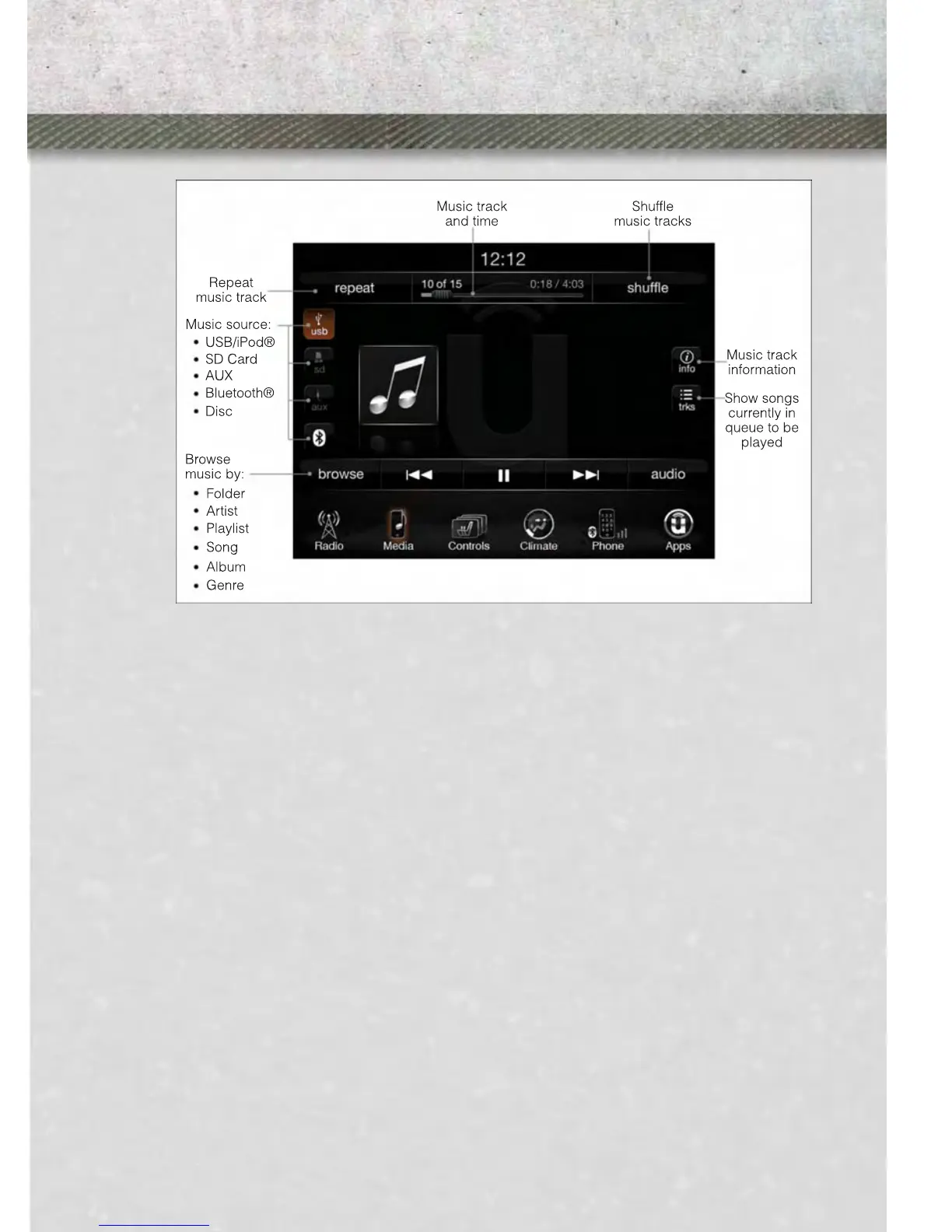
iPod®/CD/AUX CONTROLS
The iPod
®
/CD/AUX controls are accessed by touching the desired soft-key displayed
on the side of the screen and choosing between Disc, AUX, iPod
®
, Bluetooth or SD
Card.
NOTE:
Uconnect
®
will usually automatically switch to the appropriate mode when some-
thing is first connected or inserted into the system.
NAVIGATION (DEALER-ACTIVATED OPTION)
• Your Uconnect
®
8.4A is “Navigation-Ready”, and can be equipped with Naviga-
tion at an extra cost. Please see your dealer for details.
• The information in the section below is only applicable if the Navigation has been
activated.
ELECTRONICS
85



 To Next Page