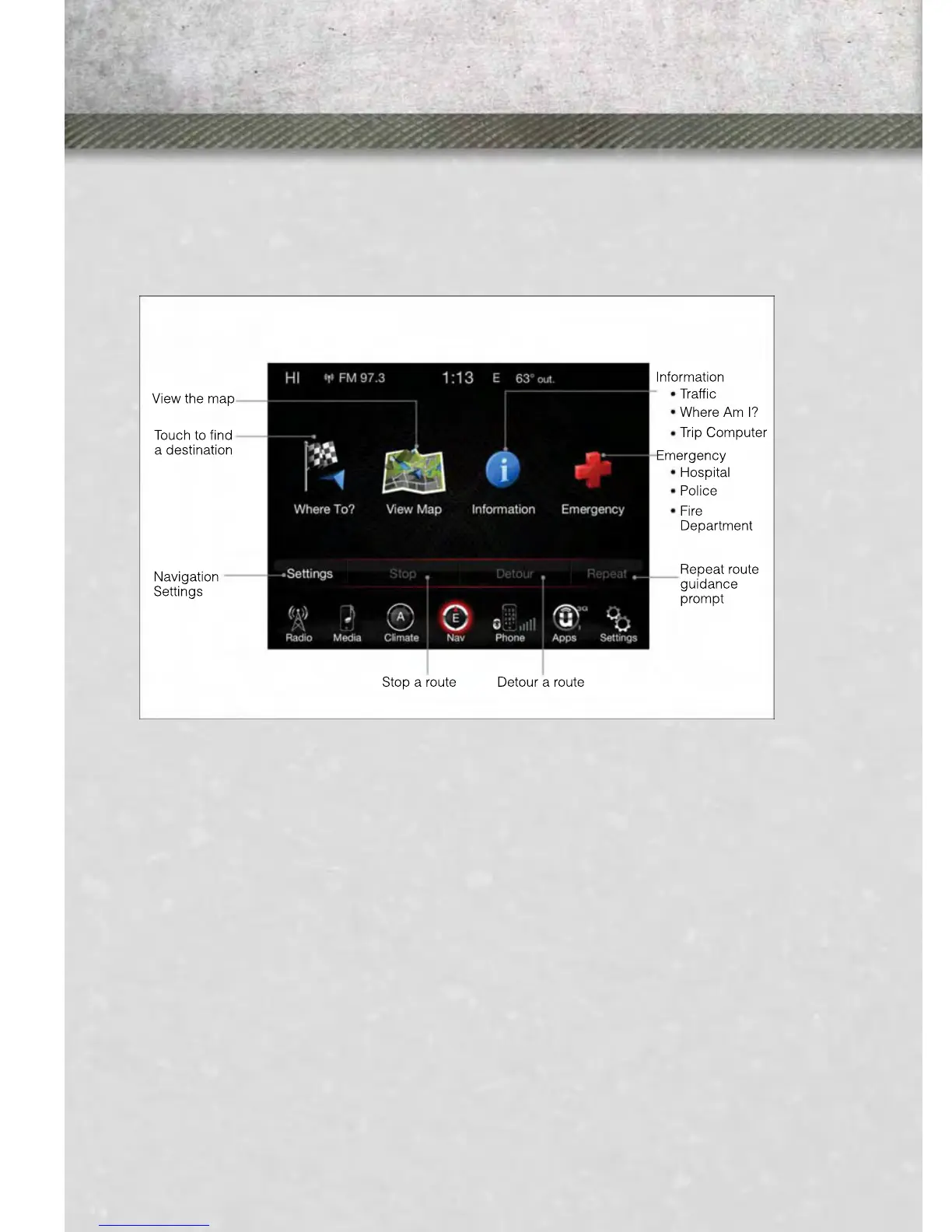
Changing The Navigation Voice Prompt Volume
1. Touch the “settings” soft-key.
2. In the Settings menu, touch the “Guidance” soft-key.
3. In the Guidance menu, adjust the Nav Volume by touching the “+” or “–” Nav
Volume Adjustment soft-keys.
Finding Points Of Interest (POI)
• From the main Navigation menu, touch the “Where To?” soft-key, then touch the
“Points of Interest” soft-key.
• Select a Category and then a subcategory, if necessary.
• Select your destination and touch the “Yes” soft-key.
Finding A Place By Spelling The Name
• From the Main Navigation Menu touch the “Where to?” soft-key, touch the “Points
of Interest” soft-key and then touch the “Spell Name” soft-key.
• Enter the name of your destination.
• Touch the “List” soft-key.
• Select your destination and touch the “Yes” soft-key.
Entering A Destination Address
• From the main Navigation menu touch the “Where To?” soft-key, then touch the
“Address” soft-key.
ELECTRONICS
86



 To Next Page