Electronic Vehicle Information Center
(EVIC)/Driver Information Display (DID) Display
Messages
When the appropriate conditions exist, a message will
appear in the EVIC/DID display. Refer to “Electronic
Vehicle Information Center (EVIC) or Driver Information
Display (DID)” in “Understanding Your Instrument
Panel” for further information.
An audible chime will be heard whenever a system error
has been detected.
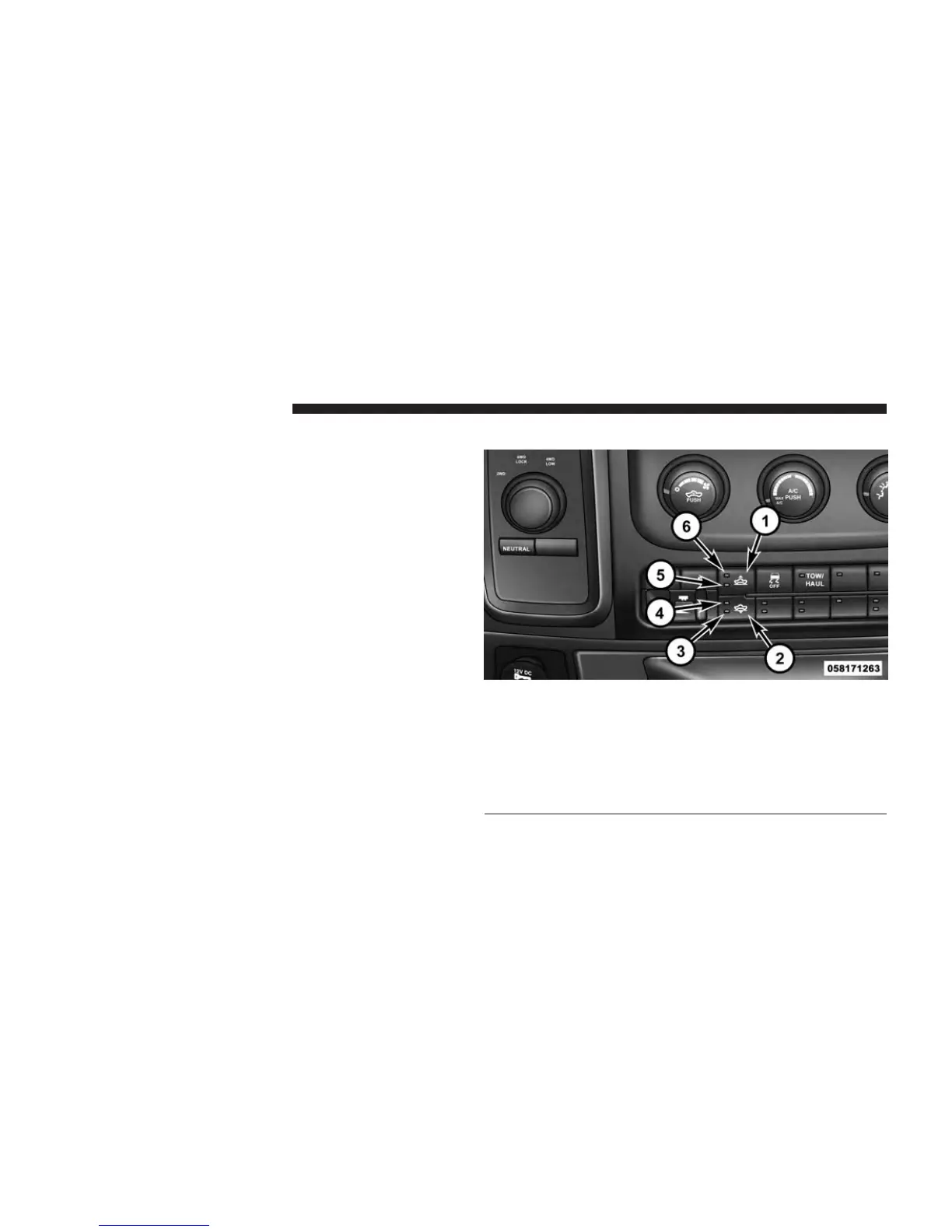
Operation
1 — Up Button
2 — Down Button
3 — Entry/Exit Mode Indicator (Customer selectable)
4 — Normal Ride Height Indicator (Customer selectable)
5 — Off-Road 1 Indicator (Customer selectable)
6 — Off-Road 2 Indicator (Customer selectable)
Air Suspension Switch
552 STARTING AND OPERATING



 To Next Page