CAUTION!
Leaving the lid open for extended periods of time
could cause the vehicle battery to discharge. If the lid
is required to stay open for extended periods of time, it
is recommended that the bin lights be turned off
manually using the on/off switch.
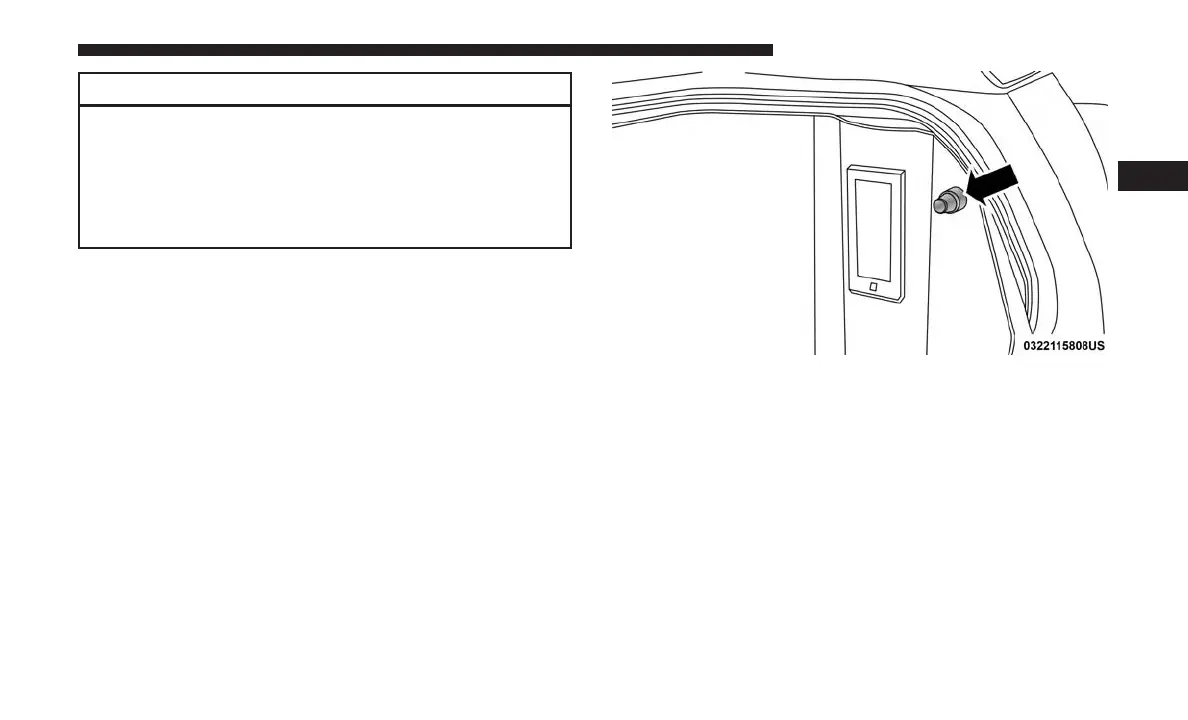
The interior of the RamBox will automatically illuminate
when the lid is opened. In addition to the automatic
illumination switch, there is a manual on/off switch lo-
cated at the rear of each storage bin. Pushing the switch
once will turn off the bin lights, pushing the switch again
will turn the lights back on.
Cargo bins feature two removable drain plugs (to allow
water to drain from bins). To remove plug, pull up on the
edge. To install push plug downward into drain hole.
NOTE: Provisions are provided in the bins for cargo
dividers and shelf supports. These accessories (in addition
to other RamBox accessories) are available from Mopar.
Locking And Unlocking RamBox
Push and release the lock or unlock button on the key fob
to lock and unlock all doors, the tailgate and the RamBox
(if equipped). Refer to “Keys” in “Getting To Know Your
Vehicle” for further details. The RamBox storage bins can
RamBox Light Switch
3
GETTING TO KNOW YOUR VEHICLE 143



 To Next Page