NOTE: If the indicator message illuminates when you
start the vehicle, the oil change indicator system did not
reset. If necessary, repeat this procedure.
Vehicle Information (Customer Information
Features)
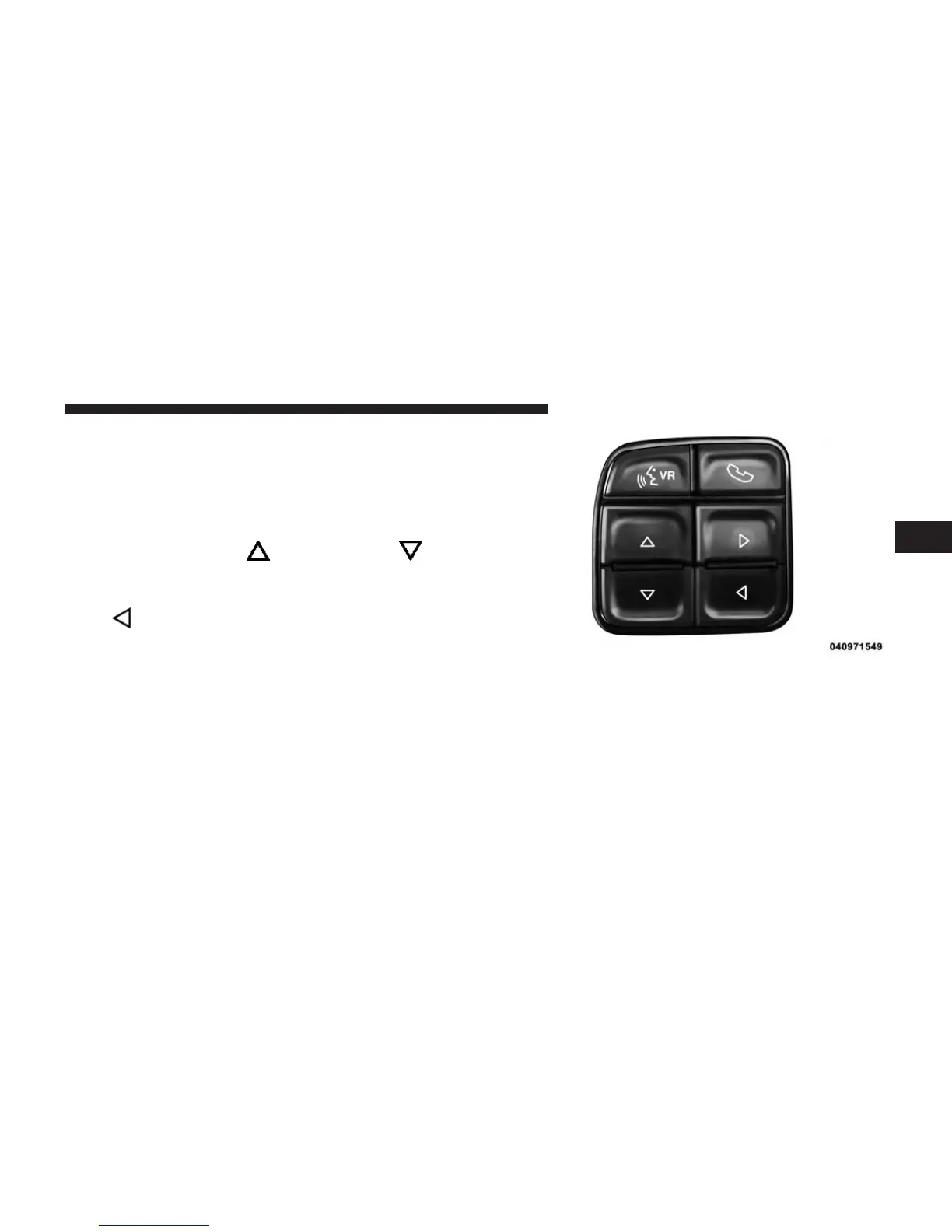
Press and release the UP arrow or DOWN arrow
button until “Vehicle Info” displays in the Driver Infor-
mation Display (DID). Press the RIGHT
arrow or
LEFT
arrow button to scroll through the available
Vehicle Information sub menu(s) to display anyone of the
following choices.
DID Steering Wheels Buttons
3
UNDERSTANDING YOUR INSTRUMENT PANEL 69



 To Next Page