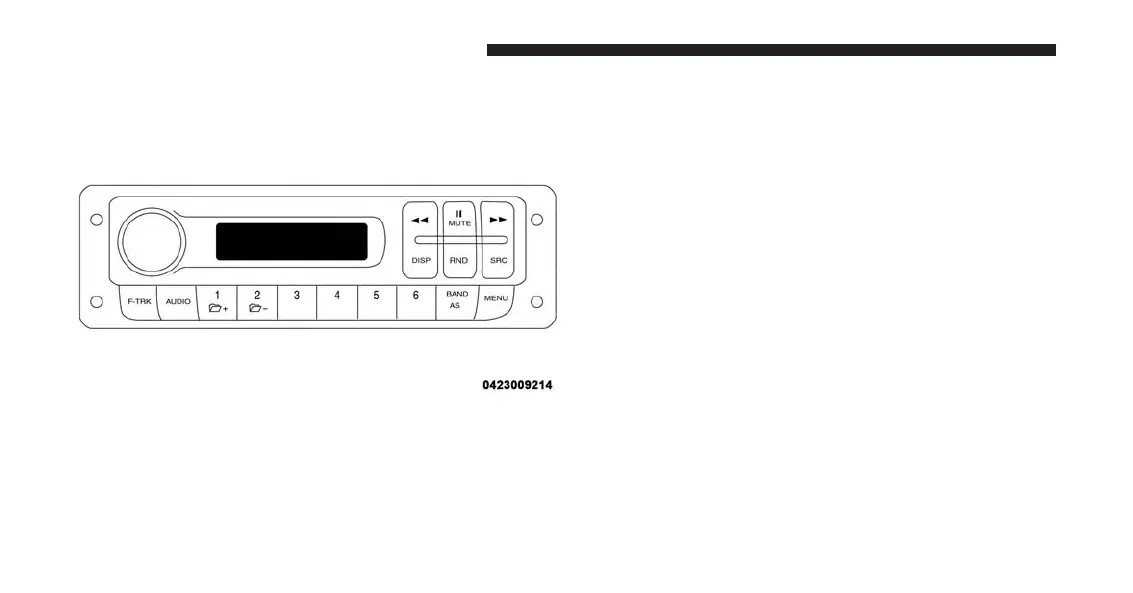
Uconnect® RH3 Display
Description Of Commands
Rotary Knob: Turn radio on and off, volume, forward/
reverse track, confirm selected option.
䉴䉴 And 䉳䉳 Buttons: Station search in automatic mode,
station search in manual mode, forward/reverse tracks,
forward/reverse within track.
Mute/Pause Button: Interrupts the sound by muting or
pausing the audio.
DISP Button: Switches between display modes, clock
display.
RND Button: Enables/Disables shuffle play.
SRC Button: Switches the audio source to TUNER.
Switches the audio source to USB.
Fast Track Buttons (F-Trk): Fast forward/reverse track
(used with the ROTARY knob).
Audio Button: Activates audio setting functions.
Preset Buttons (1 To 6): Store station in memory, access
preset stations.
RH3 Display Panel
154 UNDERSTANDING YOUR INSTRUMENT PANEL















 To Next Page