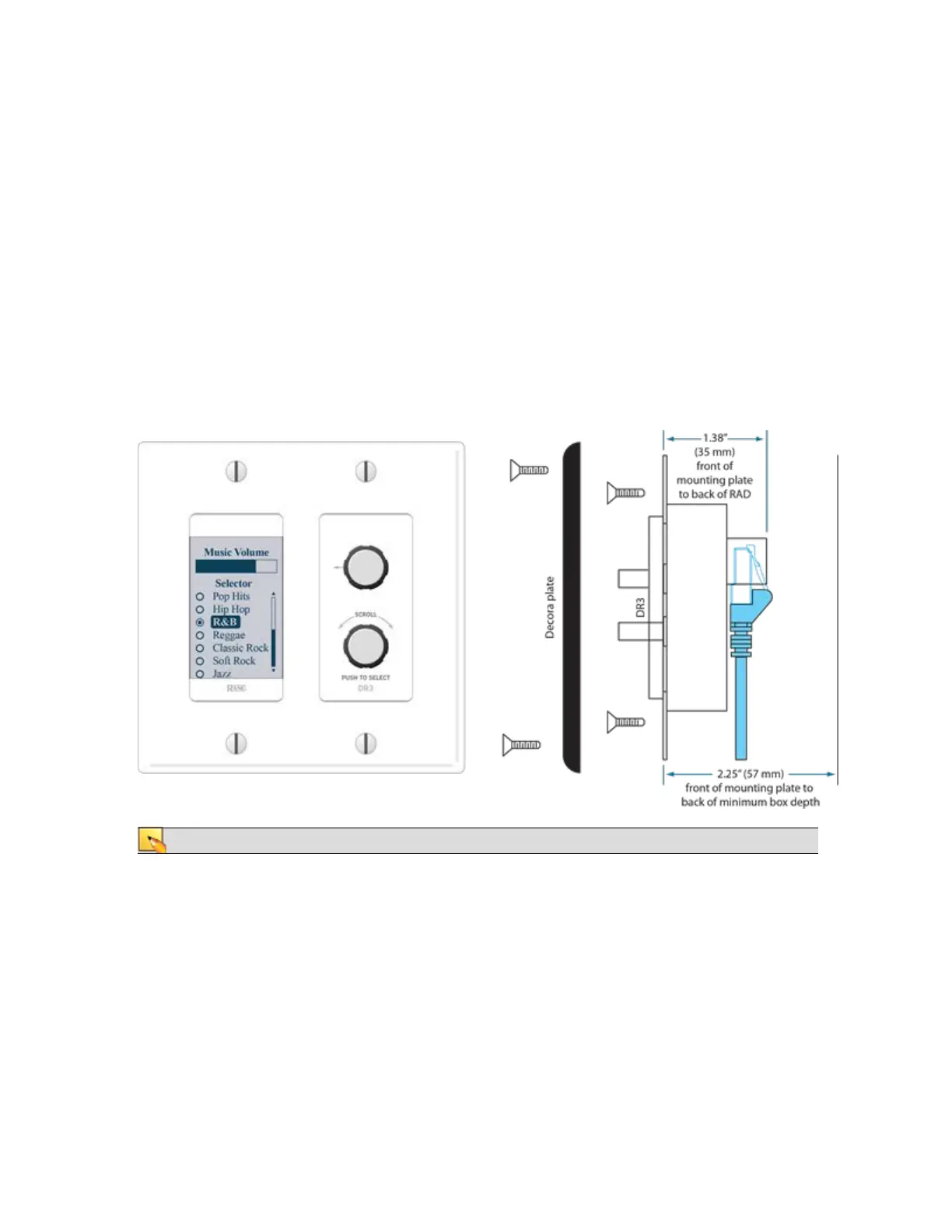
DR3
The DR3 is extremely flexible, as it can control both selection and volume. You can think of the DR3 as
two different remotes—a selector and a level. One knob makes a selection, the other knob changes the
volume.
You can configure a DR3 in one of three ways:
l
Single Level & Selector: Control a level and selection from the same remote. For example, you
could use a DR3 to select the background music source and control the volume in a room.
l
Single Level & List of Toggles/Commands: This option allows you to control a single level and
multiple other items. For example, you could use a DR3 to control the volume in a room as well
as activate/deactivate one or more listed presets that change the audio and control parameters for
the room.
l
List of Levels: Choose from multiple levels. For example, you could use a DR3 to control the vol-
ume in multiple rooms or zones from a single DR located at a hostess station or in a manager's
office.
NOTE: A DR3 requires a two-gang standard switchbox for installation into a wall.
CHAPTER 2: Hardware Component Details
23


 To Next Page