7
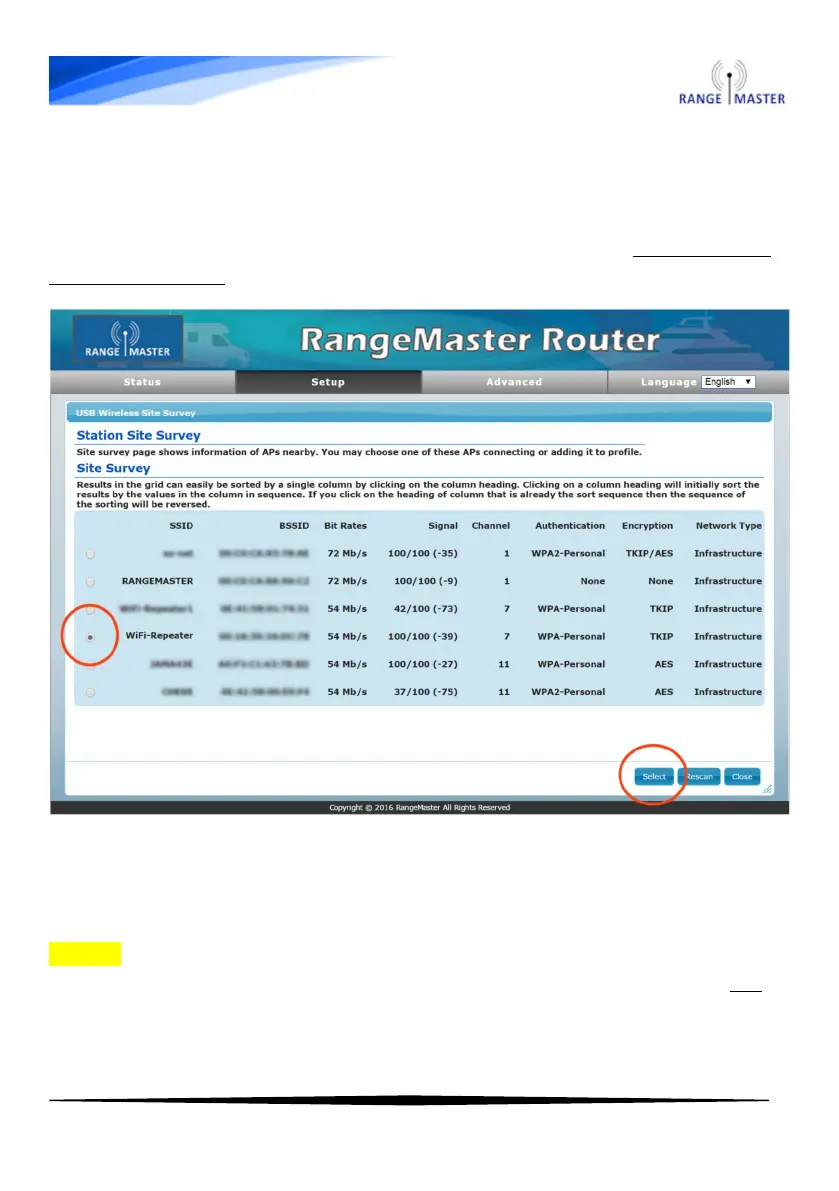
7. You will now see a list of available Wi-Fi networks, select the one
you want to connect to by selecting the dot next to it then press the
blue “Select” button on the bottom right.
Select the name of the network you want to connect to. Do not select
RANGEMASTER here.
8. On the next page enter the password for the Wi-Fi network you
want to connect to in the “Pass Phrase” box and then select the blue
“Next” button at the bottom.
NOTE: For most caravan site hotspots, Airangel and pubic hotspots
such as The Cloud, BT Openzone, Sky WiFi and O2 WiFi you do not
enter a password here, just select “Next”



 To Next Page